Why Should You Never Reuse the Same Password Everywhere?
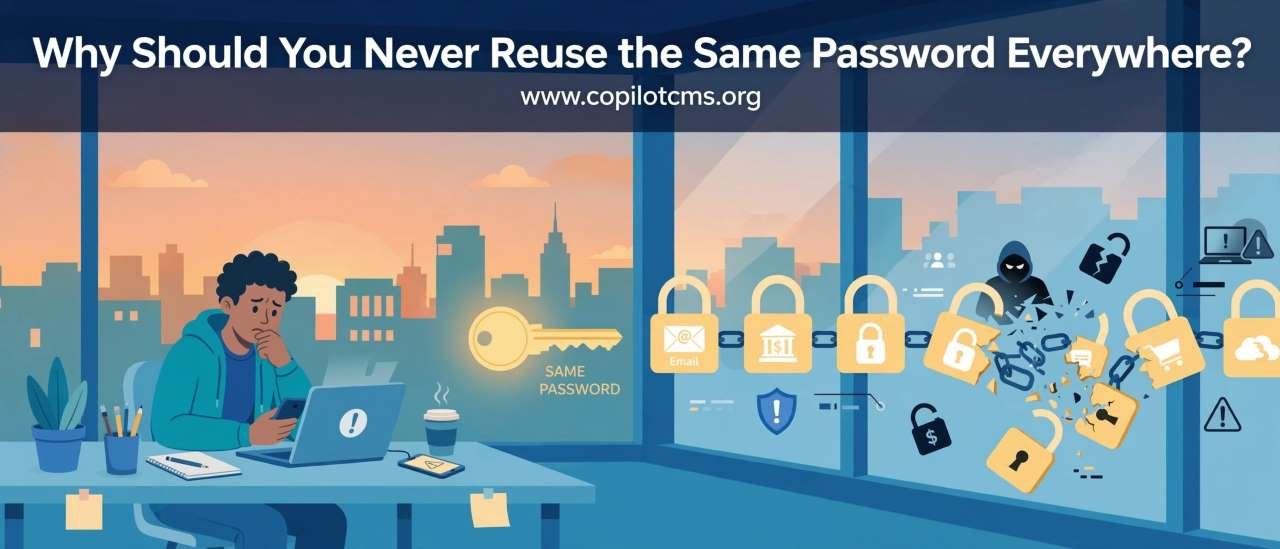
Using the same password everywhere feels convenient: one password is easy to remember, so why not use it for your email, social media, shopping, and banking? The problem is that one stolen password can turn into a key that unlocks much more than the account where it was originally stolen.
The Basic Problem: One Password, Many Doors
Imagine that you have the same key for your house, car, office, bank safe, and storage room. It certainly makes life easier because you only need to carry one key. But there is a serious downside: if someone gets that key, they can potentially open everything.
Reusing a password creates essentially the same problem online. If your password is the same for your email account, Facebook account, online store, and another website, a criminal who discovers that password may try it on all of those services.
The important point is that an attacker does not necessarily need to break into every account individually. Sometimes they only need to obtain your password once and then try the same combination elsewhere.
What Happens When One Website Gets Hacked?
Suppose you create an account on a website that you use occasionally. You choose a password such as BlueTiger123. You also happen to use that password for your email and several other accounts.
Later, the website suffers a data breach. This means attackers manage to obtain information from the website's systems. Depending on how the service stored its passwords and what other information was exposed, attackers may obtain password-related data that can be used in further attacks.
Now imagine that the attacker tries your email address and the stolen password on other popular websites. If you reused that password, the attacker may get lucky.
This is called credential stuffing: attackers take usernames, email addresses, and passwords obtained from one breach and automatically try them on other services.
The Real-World Version: The Master Key Problem
Think of your online accounts as a row of buildings. Your email is one building, your social-media account is another, your shopping account is another, and your financial accounts are yet another.
Ideally, every building should have a different key. If one key is stolen, only one door is immediately at risk.
But if you use the same key for every building, stealing one key potentially gives an attacker access to the entire row.
Different passwords create separate barriers. A breach at one service does not automatically give an attacker the password to your other accounts.
Why Your Email Password Is Especially Important
Your email account deserves special attention because it often acts as the control center for many other accounts.
Think of your email inbox as the mailbox outside your house. It may contain password-reset messages, login alerts, receipts, personal conversations, documents, and verification codes.
If someone gains control of your email account, they may be able to request password resets for other services. A password-recovery link sent to your email can sometimes give an attacker a path into another account.
For this reason, your email password should be unique and particularly strong. Never use your email password on another website.
But Isn't the Website Responsible for Protecting My Password?
Yes, websites have a responsibility to protect users' information. Good services should use appropriate security practices, including securely storing passwords rather than keeping them as ordinary readable text.
However, you cannot control everything that happens inside a website's systems.
A company can have a security vulnerability, an employee account can be compromised, a database can be exposed, or an attacker can find another way to obtain account information.
Your goal is therefore to limit the damage if one service is compromised.
A unique password does exactly that. If the password for one website is exposed, it does not automatically become the password for your other accounts.
What If the Password Is Very Strong?
A strong password is much better than a weak password, but reusing it is still a problem.
Imagine buying an extremely strong lock and putting it on ten different doors while using exactly the same key for every door. The lock may be excellent, but once someone gets the key, all ten doors are affected.
The same principle applies online.
A long, difficult-to-guess password is valuable. A unique password is valuable too. You ideally want both.
What If You Change the Password Regularly?
Changing a reused password periodically does not solve the fundamental problem.
Suppose you use the same password on ten websites and change it every few months. You still have ten accounts sharing one secret.
The safer approach is to give each important account its own password. You do not need to memorize dozens of complicated passwords yourself; that is where password managers become useful.
Why Password Managers Make This Much Easier
A password manager is like a secure key cabinet for your digital accounts.
Instead of trying to remember a different password for every website, you remember one strong master password. The password manager stores your other passwords and can fill them in when you need to log in.
For example, it might store:
- A unique password for your email
- A different password for your social-media account
- A different password for your shopping account
- A different password for your cloud-storage account
- A different password for your banking or financial services
The passwords can be long and complicated because you do not have to remember each one.
Why This Is Better Than Writing Everything Down
Writing passwords on a piece of paper can work poorly if the paper is lost, photographed, or discovered. A password manager is specifically designed to protect and organize digital credentials.
That does not mean every password manager is automatically safe or that you should ignore security settings. You should choose a reputable service, protect your master password carefully, and enable additional security features where available.
What About Passwords You Can't Remember?
This is one of the biggest reasons people reuse passwords. Humans are simply not very good at remembering dozens of unrelated secrets.
There is nothing wrong with admitting that. In fact, modern security practices are designed around this limitation.
Instead of expecting your brain to remember 30 or 50 unique passwords, let a password manager generate and remember them for you.
What About Passwords Based on Personal Information?
Another common mistake is creating passwords from information that other people can discover.
For example, someone might use their child's name, birthday, favorite sports team, phone number, or a combination of these. Such information may be easy to guess or discover through social media and other public sources.
A password should ideally contain information that is difficult for someone else to predict. Better still, use a password manager to generate a random password for each account.
Passphrases: A Friendlier Alternative
If you need to create a password yourself, a long passphrase can be easier to remember than a short collection of random characters.
For example, you might create a memorable phrase using several unrelated words. The exact phrase should be unique to that account and should not be something publicly associated with you.
The important lesson is not that a password must contain a certain mixture of symbols, numbers, and uppercase letters. Modern password guidance places considerable importance on length, uniqueness, and resistance to guessing.
Two-Factor Authentication Adds Another Lock
Unique passwords are an important defense, but you can add another layer of protection with two-factor authentication (2FA) or multi-factor authentication (MFA).
The idea is simple: instead of proving your identity with only something you know, such as a password, you also provide another form of proof.
For example, a service might ask for:
- Your password
- A code generated by an authenticator app
- A security key
- Another approved authentication method
Think of your password as the key to a door and two-factor authentication as a second lock. If someone steals your password, they may still be unable to get through the second layer.
Where available, stronger authentication methods such as passkeys or hardware security keys can provide additional protection against certain types of attacks.
How Attackers Exploit Reused Passwords
Password reuse becomes particularly dangerous because attacks can be automated.
An attacker may obtain a large collection of email addresses and passwords from a previous breach. Instead of manually testing each combination, software can rapidly attempt those credentials against other websites.
This is one reason you might hear about accounts being taken over even though the victim never gave their password directly to the attacker.
The victim may have used the same password on another website that was compromised earlier.
What If Only an Unimportant Website Is Compromised?
You might think, "It was only an old shopping website. I don't care about that account."
The problem is not necessarily the old account itself. The danger is what happens if you used the same password somewhere important.
An old forum account may seem worthless, but its leaked password could become useful if you also used that password for your primary email account.
In other words, the weakest account can become the starting point for attacking your more important accounts.
How to Fix Password Reuse
If you have reused passwords for years, you do not need to fix everything in five minutes. You can gradually improve your security.
- Secure your primary email first. Give it a unique, strong password.
- Enable two-factor authentication or another strong additional authentication method where available.
- Identify your most important accounts. Think about email, financial services, cloud storage, social media, work accounts, and accounts containing personal information.
- Change reused passwords. Give each important account its own password.
- Use a password manager to generate and store unique passwords.
- Check for old accounts. Close accounts you no longer need if the service allows it.
- Pay attention to security alerts. If a service tells you that your password may have been exposed, change it promptly.
What Should You Do If You Discover a Password Was Exposed?
If you learn that a password has been exposed in a breach, do not simply change that password on the affected website and forget about it.
First, consider everywhere else you used the same password.
Change it on those accounts too, replacing it with a different password for each service. If the exposed password was used for your email account, prioritize securing the email account immediately.
Also review recent login activity and security settings when the service provides those options.
Why Password Reuse Is So Tempting
Password reuse is not necessarily a sign that someone is careless. It is an understandable response to an inconvenient problem: there are simply too many accounts.
Most people have accounts for email, shopping, social media, streaming, work, education, government services, travel, utilities, cloud storage, and countless other things.
Remembering a unique password for every account is unrealistic for many people.
That is why the practical solution is not "try harder to remember passwords." The better solution is to use tools that make unique passwords manageable.
Why This Matters
Password reuse turns separate security problems into one large security problem.
If every account has a different password, one compromised website is potentially an isolated incident. If twenty accounts share the same password, one compromised website could put many of them at risk.
Unique passwords therefore act like fire doors in a building. If a fire starts in one room, the doors help prevent it from immediately spreading everywhere.
A Simple Password Security Checklist
- Use a different password for every important account.
- Make passwords long and difficult to guess.
- Do not base passwords on easily discoverable personal information.
- Never reuse your email password elsewhere.
- Use a reputable password manager when practical.
- Enable two-factor authentication or another strong additional authentication method.
- Take password-exposure and suspicious-login warnings seriously.
- Replace old, reused passwords rather than merely changing them slightly.
The Takeaway
Using one password everywhere is like using one key for every door in your life. It is convenient, but once that key falls into the wrong hands, many doors can be opened.
The safest practical approach is simple: give every important account its own strong, unique password. Use a password manager so you do not have to memorize them all, and add two-factor authentication or another strong authentication method wherever possible.
You do not need to become a cybersecurity expert to make a major improvement. You just need to stop letting one password hold the keys to your entire digital life.