Why Does Your Phone Get Hot While Charging or Gaming?
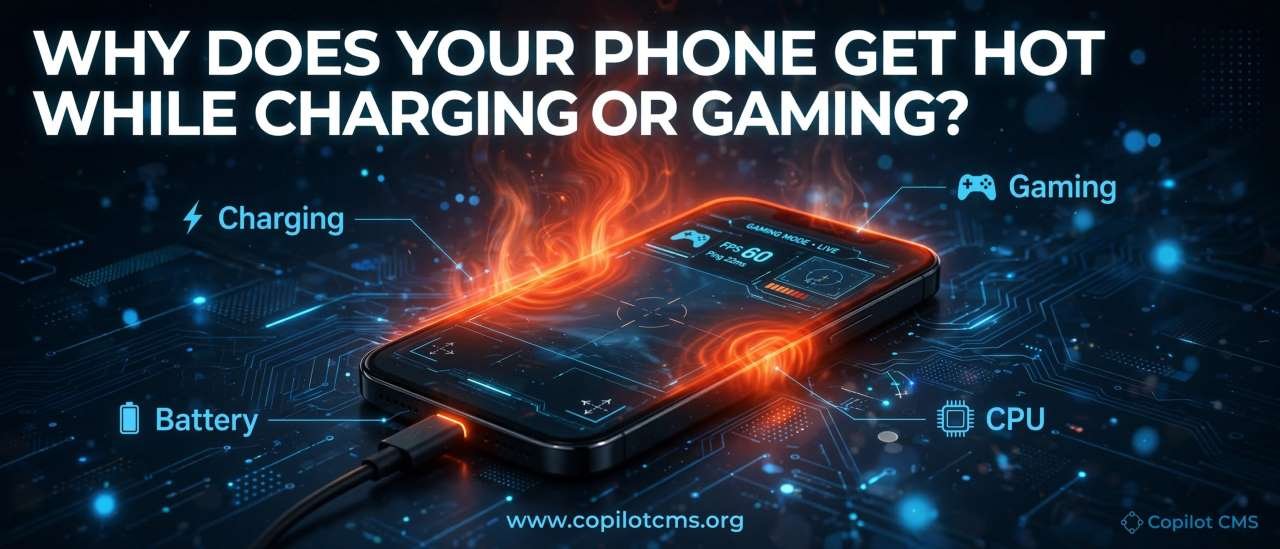
Your phone may feel perfectly cool one minute and surprisingly warm the next—especially when it is charging, playing a demanding game, or doing several things at once. But why does a tiny device produce so much heat, and when is that warmth normal versus a warning sign?
Where Does the Heat Come From?
The simple answer is: electricity and computing work are not perfectly efficient. Whenever your phone uses energy, some of that energy ends up as heat.
Your phone contains several components that consume electrical power, including the processor, graphics processor, display, battery, charging circuitry, modem, and storage. None of these components can use every bit of electrical energy with 100% efficiency. Some of the energy is inevitably converted into heat.
Think of it like a car engine. You put fuel into the engine to make the car move, but the engine also becomes hot because not all of the fuel's energy becomes useful motion. Your phone works in a similar way: electrical energy is being turned into useful work, while some becomes heat.
Why Does Gaming Make a Phone Hot?
Gaming can be one of the hardest jobs you ask your phone to perform.
A modern game may constantly require the phone to:
- Calculate the movements and actions of characters.
- Render 2D or 3D graphics.
- Calculate lighting, shadows, textures, and visual effects.
- Process sound.
- Communicate with online game servers.
- Read and write data.
- Keep the screen running at a high refresh rate.
All of this requires work from the phone's processor and graphics processor. The harder they work, the more electrical power they generally consume, and the more heat they can produce.
The Real-World Version: Your Phone Is Like a Tiny Worker
Imagine a small worker sitting inside a room. If you ask the worker to read a book, the job is easy. Ask the same worker to solve complicated calculations while simultaneously drawing pictures, listening to music, talking to someone on the phone, and moving boxes around the room, and the worker will work much harder.
Your phone's processor is similar. A simple text message requires relatively little work. A graphically demanding game can keep several parts of the phone extremely busy for a long period.
Why Does Charging Make Your Phone Hot?
Charging involves moving electrical energy from the charger into your phone's battery. That process also isn't perfectly efficient.
Some energy becomes stored chemical energy inside the battery. Some energy is lost as heat in the charging circuitry, cables, connectors, and battery itself.
This is why it is common for a phone to become somewhat warm while charging, particularly when it is charging quickly.
Fast Charging Produces More Heat
Fast charging allows a phone to receive energy at a higher rate. That is extremely convenient—you can add a significant amount of battery power during a short break—but moving energy quickly can increase heat production.
Modern phones therefore use charging-management systems that continuously monitor things such as battery temperature, charging speed, and battery condition. When necessary, the phone can reduce charging power to control heat.
In other words, your phone doesn't simply say, "Give me as much electricity as possible." It is constantly managing the charging process.
Why Is the Phone Even Hotter When Charging and Gaming at the Same Time?
This is where two sources of heat meet.
During gaming, the processor, graphics processor, display, and other components are consuming energy and producing heat. At the same time, the charging system is putting energy into the phone and generating some heat of its own.
So you have something like this:
Gaming heat + charging heat = a much warmer phone.
There is another complication: when the phone is plugged in, some of the incoming electrical power may be used to operate the phone rather than immediately becoming stored in the battery. The exact behavior depends on the phone, charger, software, battery level, and charging system.
That is why playing a demanding game while using a fast charger can make a phone noticeably hotter than either activity alone.
Why Does Your Phone Get Hot When Using Mobile Data?
Gaming isn't the only thing that can make a phone warm.
Your phone's cellular modem communicates with nearby mobile towers by transmitting and receiving radio signals. Activities such as downloading large files, streaming high-resolution video, uploading photos, or using a weak cellular signal can increase the amount of work the modem has to do.
When the phone has difficulty maintaining a connection, it may need to work harder to communicate with the network. This can increase power consumption and contribute to heat.
This is one reason a phone can sometimes become warmer when you are in an area with poor cellular reception.
Why Does a Weak Wi-Fi or Cellular Signal Matter?
Imagine trying to have a conversation with someone across a noisy room. If you can barely hear each other, you may have to repeat yourself and speak more loudly.
Wireless communication can face a similar problem. When signal conditions are poor, maintaining communication can require additional effort and power.
This doesn't mean a weak signal will always make your phone dangerously hot. It simply means wireless communication can become a larger part of the phone's power consumption under certain conditions.
What About the Screen?
Your phone's display is another significant consumer of energy.
A bright screen generally requires more power than a dim one. High refresh rates can also increase power consumption because the phone is updating the image more frequently.
For example, a display running at 120 Hz can refresh the image up to 120 times per second, while a 60 Hz display refreshes it up to 60 times per second.
During ordinary activities, the difference may not produce dramatic heat. But when combined with gaming, high brightness, mobile data, and charging, all these energy demands can add up.
Why Does Your Phone Sometimes Feel Hot Even When You're Not Using It?
A phone can perform work in the background even when the screen is off.
Apps may synchronize information, download content, process photos, check for notifications, use location services, communicate with servers, or perform other scheduled tasks.
Usually, these activities are small and carefully controlled. But a malfunctioning app, a software bug, unusually heavy background activity, or poor network conditions can sometimes cause excessive power usage.
A Simple Clue: Battery Drain
Heat and battery drain often go together because both can be signs that the phone is consuming more power than usual.
If your phone is sitting unused and becoming unusually warm while the battery percentage is dropping rapidly, it is worth investigating what is using the battery.
Why Does the Back of the Phone Get Warm?
The heat-producing components inside a phone are usually concentrated in particular areas rather than being evenly distributed throughout the entire device.
Depending on the phone's design, the processor, charging components, and battery may be located in different areas. Heat then travels through the phone's internal materials and eventually reaches the outer surface.
That means the part of the phone you feel getting warm doesn't necessarily mean that the entire phone is equally hot inside.
Why Does a Phone Case Sometimes Make It Feel Hotter?
A phone case doesn't necessarily cause the phone to generate more heat. Instead, it can affect how easily that heat escapes into the surrounding air.
Think of wrapping a warm cup of tea in an insulating material. The tea hasn't suddenly started producing more heat, but the warmth has a harder time escaping.
Some phone cases can similarly reduce heat transfer from the phone's surface to the surrounding environment. During light use, this may make little practical difference. During demanding activities such as gaming or fast charging, however, the effect can become more noticeable.
Why Does Your Phone Slow Down When It Gets Very Hot?
This is an important part of modern phone design.
When a phone becomes too warm, its software and hardware can deliberately reduce performance to control temperature. This is commonly called thermal throttling.
Imagine a car driving up a steep hill. The engine may be capable of producing a lot of power, but if temperatures become excessive, the car's systems may limit performance to prevent damage.
A phone can do something similar. It may:
- Reduce processor performance.
- Reduce graphics performance.
- Lower screen brightness.
- Reduce charging speed.
- Pause or limit certain background activities.
This can explain why a game that normally runs smoothly may begin to stutter after you have been playing for a long time.
Is It Normal for a Phone to Get Warm?
Some warmth is completely normal. Phones are electronic devices that consume energy, and energy use produces heat.
A phone becoming noticeably warm during fast charging, demanding gaming, video recording, navigation, or heavy downloading isn't automatically a sign that something is wrong.
The important distinction is between warm and abnormally hot.
Temperature depends on the phone model, software, workload, ambient temperature, charger, battery condition, and many other factors, so there isn't one surface temperature that can be used as a universal definition of "too hot" for every phone.
When Should You Be Concerned?
Pay more attention when heat is unusually intense, persistent, or accompanied by other warning signs.
Examples include:
- The phone becomes extremely hot during very light use or while sitting idle.
- It repeatedly becomes unusually hot under ordinary conditions.
- The phone suddenly becomes much hotter than it normally does.
- Charging repeatedly stops because of temperature warnings.
- The phone shuts down unexpectedly because of heat.
- The battery appears swollen or the phone's body is physically separating or bulging.
- There is a burning or unusual chemical smell.
- The phone or charger shows visible signs of damage.
A swollen or damaged battery deserves particular caution. Don't continue charging or using a visibly damaged battery. Disconnect the charger if it is safe to do so and seek professional service or follow the manufacturer's safety guidance.
What Should You Do If Your Phone Gets Too Hot?
If your phone becomes unusually hot, the simplest solution is usually to reduce the workload and let it cool naturally.
- Stop demanding activities. Pause the game, video recording, navigation, or other intensive task.
- Unplug the charger if appropriate. Removing an additional source of heat can help.
- Move the phone away from direct sunlight. A hot environment can make cooling much more difficult.
- Remove a thick case temporarily. This may allow heat to escape more easily.
- Place it somewhere cool and well ventilated. Let the phone return toward normal temperature naturally.
- Check for unusual battery usage. A badly behaved app may be consuming excessive power.
- Check the charger and cable. Damaged or unsuitable charging equipment should not be ignored.
Avoid extreme attempts to cool the phone rapidly, such as putting it in a freezer or placing a very cold object directly against it. Rapid temperature changes can cause other problems, including condensation.
How Can You Reduce Phone Heat While Gaming?
If gaming regularly makes your phone uncomfortably hot, you don't necessarily have to stop gaming. You can reduce the amount of work the phone has to perform.
Lower Graphics Settings
Many games allow you to reduce graphics quality, shadows, effects, or rendering resolution. Lower settings can reduce the workload on the graphics processor.
Reduce the Frame Rate
If a game gives you the choice between a very high frame rate and a lower one, the lower setting can reduce the amount of work the phone needs to perform.
Lower Screen Brightness
Reducing brightness can decrease display power consumption, particularly when gaming for long periods.
Avoid Direct Sunlight
Your phone already has to deal with the heat generated by its own components. Adding strong sunlight is like putting the phone inside a warm room and then asking it to cool itself.
Consider Not Charging During Long Gaming Sessions
If the battery has enough charge, gaming without simultaneously charging can remove one source of additional heat. If you do need to charge, some phones have charging-management features specifically designed to reduce battery stress and heat during demanding use.
Why Does Heat Matter for the Battery?
Heat isn't just uncomfortable to hold. Repeated exposure to high temperatures can contribute to battery aging.
Modern smartphone batteries are generally based on lithium-ion or closely related lithium battery technology. These batteries naturally lose some capacity as they age, but excessive heat can accelerate degradation.
Think of a battery as something that has a limited working lifespan. Heat doesn't necessarily destroy it instantly; instead, repeated high-temperature conditions can make it age faster.
This is one reason smartphone manufacturers put so much effort into temperature monitoring and charging control.
Does Using a Cheap Charger Cause More Heat?
The price of a charger alone doesn't determine whether it is safe or efficient.
What matters is whether the charger and cable are appropriate for the phone and meet relevant safety and charging standards. Poor-quality, damaged, counterfeit, or incompatible charging equipment can create problems and should be avoided.
If you notice that your phone becomes unusually hot with one particular charger but behaves normally with another known-good charger, the charging equipment is worth investigating.
Why Does Heat Increase in Hot Weather?
Your phone needs somewhere to send its heat.
When the surrounding air is cool, heat can move from the phone into the environment relatively easily. When the environment is already hot, the temperature difference is smaller, making cooling more difficult.
That's why a phone that behaves perfectly normally inside an air-conditioned room may become much warmer when used heavily outdoors on a hot summer day.
Does a Hot Phone Always Mean Something Is Broken?
No.
Heat is a natural by-product of electrical and computational activity. A phone can become warm simply because it is doing exactly what you asked it to do.
The more useful question is: Is the amount of heat reasonable for what the phone is doing?
A warm phone during a demanding game is a very different situation from a phone becoming extremely hot while sitting untouched on a table.
Why This Matters
Understanding phone heat can help you avoid two opposite mistakes.
The first is panicking over normal warmth. Your phone is a small computer, radio, camera, game console, GPS device, and communication tool packed into a thin object. Some heat is inevitable.
The second is ignoring abnormal heat. If the phone suddenly becomes much hotter than usual, drains its battery rapidly, displays temperature warnings, shuts down, or shows signs of battery damage, the heat may be telling you that something needs attention.
In other words, heat is often a clue rather than the problem itself.
A Simple Mental Model
You can remember the whole concept with three simple ideas:
- More work usually means more power.
- More power use generally means more heat.
- More surrounding heat makes cooling harder.
Gaming increases the phone's workload. Fast charging increases the rate at which electrical energy is being transferred. A hot room or direct sunlight makes it harder for the phone to get rid of the resulting heat.
Put all three together and you have the classic "Why is my phone so hot?" situation.
The Takeaway
Your phone gets hot because it is constantly converting electrical energy into useful work, and some of that energy inevitably becomes heat. Gaming can push the processor and graphics hardware hard, charging creates additional heat, and hot surroundings can make the problem more noticeable.
Warmth is usually a normal part of using a powerful little computer. Excessive or unusual heat, however, is worth investigating. If your phone regularly becomes extremely hot, especially while doing very little, or shows signs of battery damage or temperature warnings, stop treating the heat as merely "normal" and have the device or charging equipment checked.