What Is Malware? Viruses, Trojans, Ransomware and More Explained
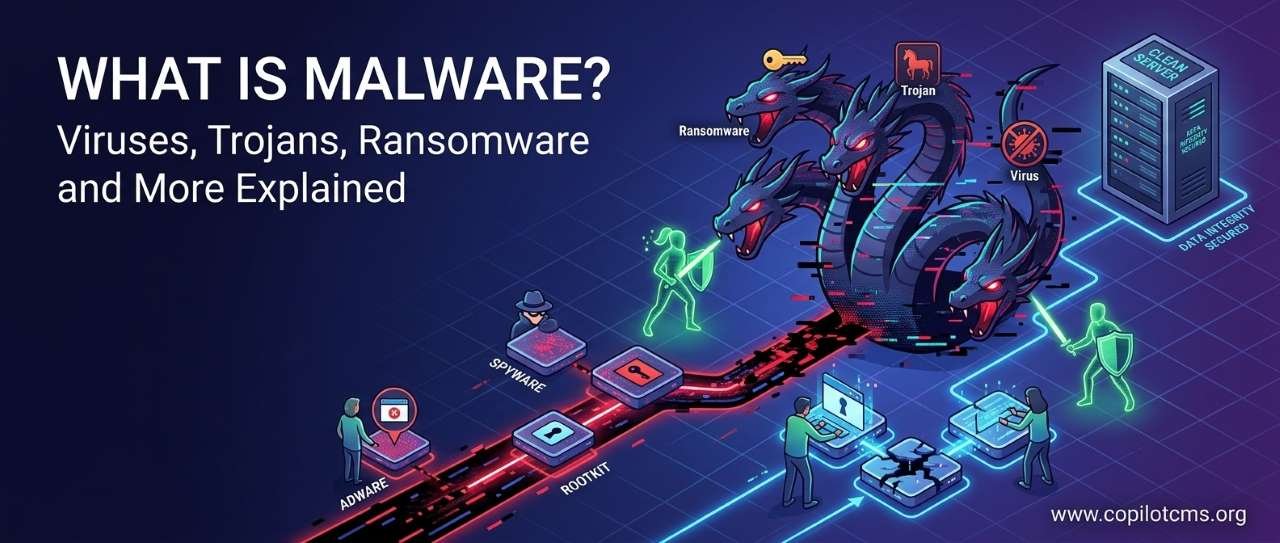
Malware is one of those computer words that sounds complicated, but the basic idea is surprisingly simple: it is software designed to do something harmful, unwanted, or deceptive on a computer or other device. From old-fashioned viruses to modern ransomware and spyware, malware comes in many forms—and understanding how they work is one of the best ways to avoid them.
What Does “Malware” Actually Mean?
Malware is short for malicious software. “Malicious” simply means harmful or deliberately unwanted.
So malware is not one particular program. It is a large family of harmful software that can behave in different ways. Some malware tries to steal information, some locks your files and demands money, some secretly watches what you do, and some simply damages or disrupts a computer.
Malware can target almost any kind of digital device, including:
- Desktop computers and laptops
- Smartphones and tablets
- Servers that run websites and online services
- Internet-connected devices such as cameras, routers, and smart appliances
The Real-World Version: Malware Is Like a Criminal in Disguise
Imagine that your computer is a house.
Your front door has a lock, your windows can be secured, and you normally decide who is allowed inside. Now imagine that someone secretly gets into the house.
But different intruders have different goals.
- One might make copies of itself and spread to neighboring houses.
- Another might pretend to be a delivery worker so you willingly let it inside.
- Another might quietly photograph everything inside.
- Another might lock every room and demand money for the keys.
- Another might damage things just because it can.
These are roughly the different roles played by different types of malware.
The important point is that malware is about behavior and intent, not simply about what a program looks like. A malicious program can sometimes look perfectly normal on the surface.
How Does Malware Get Onto a Computer?
There is no single way malware enters a device. Attackers use many different tricks, and some rely more on human mistakes than on technical weaknesses.
Malicious Email Attachments
You might receive an email that appears to contain an invoice, delivery notice, document, or other legitimate file.
Opening the attachment may run malicious code or lead you to download malware.
This is why an unexpected attachment deserves caution, even when the email looks professional.
Fake Software and Downloads
A website may offer a “free” application, game, media player, browser extension, or software update. Instead of installing the promised program, however, the download may contain malware.
Some malicious downloads are deliberately disguised. Others are bundled with legitimate-looking software and hidden in the installation process.
Fake Updates
You may have seen a website display a message such as “Your browser is out of date—click here to update.”
Real software does need updates, but a random website should not be trusted simply because it displays an update message. The safest approach is generally to update software through its normal built-in updater or the official website or app store.
Malicious Links
A link in an email, text message, social-media post, or website can take you to a malicious page.
Sometimes the goal is to install malware. Sometimes the page instead tries to steal your password or payment information through phishing.
Phishing and malware are not the same thing, although they are often used together. Phishing is primarily a deception technique; malware is malicious software.
Security Vulnerabilities
Software occasionally contains security flaws. If a vulnerability allows an attacker to execute unwanted code or gain unauthorized access, it may provide a route for malware.
This is one reason software updates are important. Many updates do more than add new features—they also repair security weaknesses.
Viruses: The Malware Everyone Has Heard Of
A computer virus is a type of malware that can reproduce by attaching itself to other files or programs.
Think of a virus like a passenger who secretly climbs aboard a bus. When the bus reaches another location, the passenger may jump onto another bus and continue spreading.
Similarly, a virus may attach itself to a legitimate file. When someone runs that file, the malicious code can execute and potentially infect other files.
The word “virus” is often used casually to describe all malware, but technically, a virus is only one category of malware.
What Can a Virus Do?
Depending on its design, a virus might:
- Modify or corrupt files
- Spread to other files or computers
- Slow down a system
- Display unwanted messages
- Provide a way for other malicious software to run
Not every virus causes dramatic damage immediately. Some may remain relatively quiet while continuing to spread.
Worms: Malware That Can Spread on Its Own
A worm is malware designed to spread from one computer or device to another without needing to attach itself to a normal file in the same way a traditional virus does.
Imagine a person who can walk from house to house without needing another person to transport them. Once inside one house, they can find another house and move there themselves.
That ability to spread automatically is one of the defining characteristics of a worm.
Worms can take advantage of network connections or security vulnerabilities to move between devices. A rapidly spreading worm can therefore cause problems far beyond the computer where it originally appeared.
Trojans: The Malware That Pretends to Be Something Else
A Trojan, or Trojan horse, is malware that disguises itself as something legitimate or useful.
The name comes from the ancient story of the Trojan Horse. In the story, soldiers were hidden inside an apparently harmless gift.
The computer version works on a similar principle: the attacker tries to convince you to let the malicious program in.
For example, you might download what appears to be a useful application. You install it, expecting one thing to happen, but the program secretly performs another task.
A Trojan does not necessarily spread by itself like a worm. Instead, social engineering and deception are often central to how it gets installed.
Ransomware: When Your Files Become Hostages
Ransomware is malware that attempts to make data or systems inaccessible and then demands payment, or otherwise uses the victim's data as leverage.
Imagine arriving home and discovering that someone has put a heavy lock on every room in your house. A note on the door says: “Pay us if you want the keys.”
Ransomware can create a similar situation digitally.
In many ransomware attacks, important files are encrypted so that the victim cannot normally read them. The attacker then demands payment in exchange for a promise to provide a decryption key or otherwise restore access.
Why Ransomware Is So Serious
For an individual, ransomware could make photographs, documents, or other personal files inaccessible.
For a business, hospital, school, or government organization, the consequences can be much larger. Systems may become unavailable, operations can be disrupted, and sensitive information may also be threatened.
Some modern ransomware attacks involve data theft as well as encryption. In such cases, attackers may threaten to publish stolen information if their demands are not met.
This is one reason backups are so important. A backup is not merely a convenient copy of your files—it can be an important recovery tool after a serious incident.
Spyware: Malware That Watches You
Spyware is designed to secretly monitor activity or collect information.
Think of it as someone secretly following you around with a notebook, recording what you do without your knowledge.
Depending on the specific spyware, it may collect information such as:
- Browsing activity
- Account information
- Keystrokes
- Files and documents
- Other information stored or accessed on the device
Some spyware is designed specifically to capture sensitive information, such as login credentials.
Keyloggers: Recording What You Type
A keylogger is software that records keystrokes.
Imagine someone standing behind you and writing down every key you press on a keyboard.
If a keylogger captures your username and password while you type them, an attacker may be able to obtain those credentials.
Keylogging can be used as part of broader spyware or malware operations.
Adware: When Advertising Becomes a Problem
Adware is software that displays advertisements, often aggressively or in unwanted ways.
Not all adware is necessarily malware. Some legitimate free applications display advertisements as part of their business model.
The problem arises when advertising software behaves deceptively, installs without proper consent, changes browser settings, tracks users inappropriately, or becomes extremely difficult to remove.
For example, if your browser suddenly starts opening unwanted advertisements and changing your search settings without your permission, unwanted software may be involved.
Botnets: When Many Infected Devices Work Together
A botnet is a collection of compromised devices that can be controlled by an attacker or criminal group.
Imagine thousands of ordinary homes whose residents have unknowingly handed their keys to the same criminal. The criminal can then coordinate activity across all those houses.
In computing, each infected device may become a “bot” or “zombie” that receives instructions.
Botnets have been used for activities such as:
- Sending large amounts of spam
- Launching distributed denial-of-service (DDoS) attacks
- Distributing additional malware
- Fraudulent activity
- Other malicious operations
The owner of an infected computer may not even realize that their device is participating in a botnet.
Rootkits: Malware That Tries to Hide
A rootkit is a collection of malicious tools designed to hide unauthorized activity and maintain privileged access to a system.
The idea is similar to a burglar who not only breaks into a building but also changes the security system so that the building's owner has difficulty discovering the burglar.
Some rootkits operate at very deep levels of a computer system, making them particularly difficult to detect and remove.
Fortunately, modern security tools and operating-system protections are designed to defend against many types of such threats.
Backdoors: Secret Ways Into a Computer
A backdoor is a mechanism that allows unauthorized access to a system while bypassing normal security controls.
Imagine a house with a locked front door, but someone secretly installed a second door behind a bookshelf and gave the key to an intruder.
Malware can create or use backdoors to allow attackers to return to a compromised computer later.
Cryptojacking: Using Your Computer to Mine Cryptocurrency
Cryptojacking occurs when someone secretly uses another person's computer resources to perform cryptocurrency mining.
Imagine allowing a stranger to plug a powerful machine into your electricity supply and then discovering that you are paying the electricity bill for their business.
Cryptocurrency mining can require substantial computing power. If malicious software secretly uses your device for this purpose, you might notice:
- Unexpectedly high CPU usage
- Slower performance
- Increased fan activity
- Higher energy consumption
- Battery draining faster than usual on portable devices
These symptoms are not proof of cryptojacking, however. Many legitimate programs can also cause high processor usage.
Malware Is Not Always Obvious
One of the biggest misconceptions about malware is that an infected computer will always display a giant warning or become obviously broken.
That is not necessarily true.
Some malware is deliberately designed to remain quiet. The attacker may benefit more from secretly stealing information or maintaining access than from announcing the infection.
Possible warning signs can include:
- Unexpectedly slow performance
- Programs opening or closing without explanation
- Unwanted browser redirects
- New browser extensions or applications you did not install
- Unusual pop-ups
- Security software being disabled unexpectedly
- Unexplained network activity
- Files becoming inaccessible or suddenly changing
- Unusual battery or processor usage
But remember: none of these signs automatically proves that malware is present. A failing hard drive, a buggy application, insufficient storage, or an ordinary software problem can produce similar symptoms.
How Does Antivirus Software Help?
Antivirus or anti-malware software is designed to detect, block, quarantine, and sometimes remove malicious software.
Think of it as a security guard for your computer.
A security guard might recognize someone from a list of known criminals, notice suspicious behavior, or stop someone from entering a restricted area. Security software uses comparable ideas.
Signature-Based Detection
One traditional method involves recognizing known characteristics of malware.
It is similar to a security guard having photographs and identifying information for known criminals. If a file matches a known malicious pattern, the security software can flag it.
This works well against known threats, but attackers constantly create new variations.
Behavior-Based Detection
Modern security tools can also examine what software is doing.
For example, a previously unknown program suddenly attempting to perform a series of highly suspicious actions may trigger a security warning.
This is similar to a security guard thinking, “I don't recognize this person, but what they are doing is suspicious.”
What Is Quarantine?
When security software detects a suspicious file, it may place it in quarantine.
Imagine putting a suspicious object inside a locked evidence box rather than throwing it directly into the trash.
The idea is to prevent the file from running while preserving it so the security software can manage or analyze it.
Quarantine is different from simply deleting a file.
How to Protect Yourself From Malware
You do not need to become a cybersecurity expert to significantly reduce your risk. A few everyday habits make a big difference.
Keep Your Software Updated
Install security updates for your operating system, browser, applications, and other important software.
Updates often fix vulnerabilities that attackers could otherwise exploit.
Download Software From Trusted Sources
Whenever possible, obtain applications from official websites, reputable app stores, or other trustworthy sources.
Be especially careful with pirated software, unofficial “cracks,” and suspicious download sites. Apart from legal and reliability issues, these are common ways people encounter unwanted or malicious software.
Be Careful With Unexpected Attachments
If you receive an unexpected attachment, stop and consider whether you were actually expecting the document.
Do not rely solely on the sender's name. Attackers can impersonate people and organizations or compromise legitimate accounts.
Think Before Clicking
Links deserve the same caution as attachments.
If a message says you must act immediately, verify your account, claim a prize, or fix a problem, take a moment before clicking.
Urgency is one of the oldest tricks used in digital scams.
Use Strong, Unique Passwords
A password reused across many websites creates a domino effect: if one service is compromised and your password is exposed, attackers may try the same credentials elsewhere.
Using unique passwords for important accounts can limit the damage from a single stolen password. A password manager can make this much easier.
Turn On Multi-Factor Authentication
Multi-factor authentication (MFA) adds another verification step beyond the password.
Think of it as having two locks on a door. Stealing the key to one lock is not necessarily enough to get inside.
MFA does not stop all malware, but it can make stolen passwords less useful to attackers.
Keep Backups
Important files should have backups, especially files that would be difficult or impossible to replace.
A useful backup is one that you can actually restore when something goes wrong. For particularly important data, keeping a backup that is not continuously connected to the computer can help reduce the risk of certain attacks affecting both the original files and the backup.
What Should You Do If You Think Your Computer Has Malware?
If something seems seriously wrong, do not panic. Take a methodical approach.
- Stop doing sensitive activities. Avoid entering passwords, banking information, or other sensitive data until you understand what is happening.
- Disconnect the device from the network if appropriate. Disconnecting Wi-Fi or unplugging an Ethernet cable can help limit communication between the compromised device and other systems.
- Run a security scan. Use reputable, up-to-date security software.
- Install pending security updates. Do this through trusted system or software update mechanisms.
- Change important passwords from a known-clean device. If malware may have captured your keystrokes, changing passwords on the infected computer may expose the new passwords too.
- Check your accounts. Look for unfamiliar logins, messages, transactions, or other activity.
- Restore from a trustworthy backup if necessary. For serious infections, professional assistance may be appropriate.
What About Ransomware?
If ransomware is suspected, the situation deserves particular care.
Do not assume that paying the attacker will guarantee that your files will be recovered. There is no guarantee that criminals will provide working recovery tools after receiving payment.
If the affected computer belongs to a business, school, or organization, report the incident through the organization's cybersecurity or IT process immediately.
If important personal or organizational data is involved, professional cybersecurity assistance may be appropriate.
Malware vs. Viruses: What Is the Difference?
This is worth repeating because the terms are frequently confused.
Malware is the broad category. Virus is one particular type of malware.
A simple way to remember it is:
Malware is like “vehicle.” Virus is like “car.”
Every car is a vehicle, but not every vehicle is a car. In the same way, every virus is malware, but malware includes much more than viruses.
A Quick Tour of the Malware Family
- Virus: Malware that can reproduce by attaching itself to files or programs.
- Worm: Malware capable of spreading between systems, often through networks or vulnerabilities.
- Trojan: Malware disguised as something legitimate or useful.
- Ransomware: Malware that makes data or systems inaccessible and demands payment or otherwise uses them as leverage.
- Spyware: Malware designed to secretly monitor activity or collect information.
- Keylogger: Software that records keystrokes, potentially capturing sensitive information.
- Adware: Software associated with unwanted advertising; some forms are legitimate, while malicious forms can behave deceptively.
- Botnet malware: Malware that turns devices into remotely controlled members of a larger network.
- Rootkit: Malicious software designed to hide activity and maintain privileged access.
- Backdoor: A mechanism that can provide unauthorized access to a system.
- Cryptojacking malware: Malware that secretly uses a device's computing resources for cryptocurrency mining.
Why Does Malware Matter?
Our computers and phones are no longer just machines for running programs. They contain photographs, conversations, work documents, passwords, financial information, personal memories, and access to online accounts.
That makes them valuable targets.
Understanding malware changes the way you approach everyday computing. Instead of blindly clicking a link, you pause. Instead of ignoring updates, you install them. Instead of keeping the only copy of important photographs on one computer, you make a backup.
Cybersecurity is often less about doing something mysterious and more about developing good digital habits.
The Takeaway
Malware is the umbrella term for software designed to cause harm, steal information, disrupt systems, gain unauthorized access, or otherwise act against the user's interests. Viruses, worms, Trojans, ransomware, spyware, and other threats are different members of that larger family.
The good news is that you do not need to understand every technical detail to protect yourself. Keep your software updated, use reputable security tools, download programs carefully, treat unexpected links and attachments with suspicion, use strong unique passwords and multi-factor authentication, and maintain reliable backups.
In the digital world, a little caution goes a long way. The best defense is often simply recognizing that a computer program is not automatically trustworthy just because it looks familiar.