What Is Your IP Address—and What Can Someone Actually Do With It?
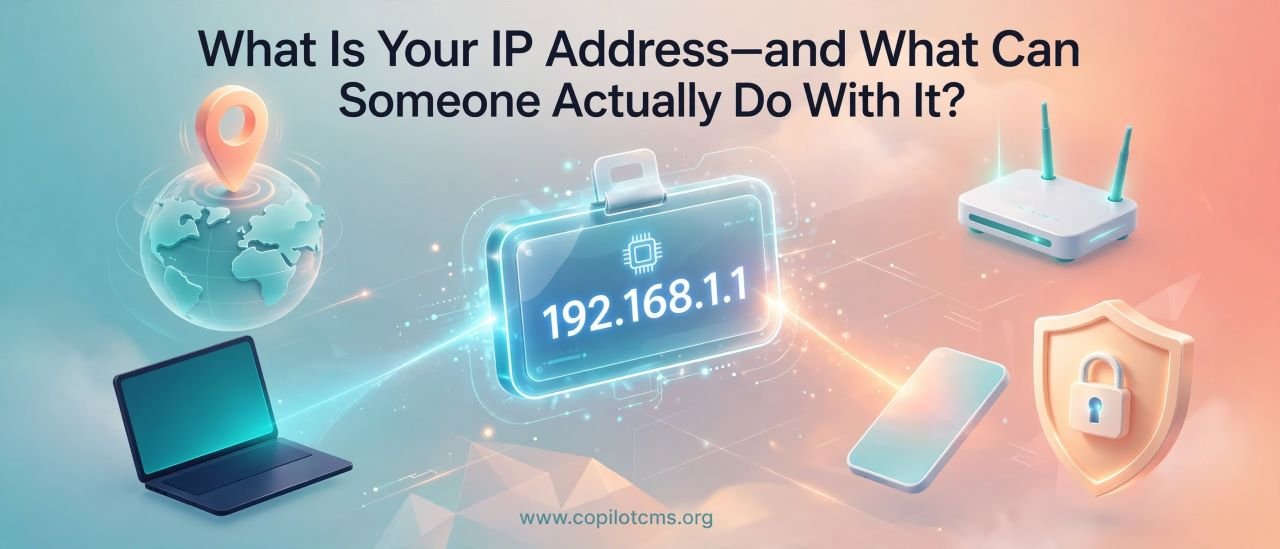
Every time you go online, your device has a kind of digital return address. It is called an IP address—but despite what you may hear, knowing someone's IP address does not automatically give a stranger the keys to their computer.
So, What Exactly Is an IP Address?
IP stands for Internet Protocol. An IP address is a number used to identify a device or network location when it communicates over a network.
In simple terms, an IP address helps computers answer a basic question: “Where should this information go?”
When you open a website, send a message, watch a video, or download a file, information travels between your device and other computers. Those computers need addresses so they know where to send and receive data.
That is one of the jobs an IP address performs.
The Real-World Version: A Mailing Address
Imagine sending a letter through the postal system.
You write an address on the envelope so the postal service knows where the letter should go. The recipient's address does not tell the postal worker everything about the person living there. It simply provides information needed to route the letter.
An IP address works somewhat like that in the digital world.
Your device or network has an address that helps Internet traffic find its way to the appropriate destination. But unlike a house number, an IP address does not necessarily identify one specific person or even one specific device.
In many homes, several phones, computers, televisions, and other devices share the same public IP address because they connect to the Internet through the same router.
What Does an IP Address Look Like?
There are two major versions of IP addresses you are likely to encounter: IPv4 and IPv6.
IPv4
IPv4 addresses are the familiar-looking ones made from four groups of numbers:
192.168.1.25
Each group can contain a number from 0 to 255.
There are billions of possible IPv4 addresses, but the Internet grew so much that the world eventually needed far more addresses.
IPv6
IPv6 was created to provide an enormous supply of additional addresses. An IPv6 address looks much more complicated:
2001:0db8:85a3:0000:0000:8a2e:0370:7334
Fortunately, you do not need to memorize the format. The important idea is simply that IPv6 gives the Internet a vastly larger address space.
Public IP vs. Private IP: They Are Not the Same Thing
This distinction is extremely important when talking about online privacy and security.
Your Public IP Address
Your public IP address is the address associated with your connection to the wider Internet. Websites and online services can normally see the public IP address from which your connection reaches them.
For example, if your laptop connects to your home Wi-Fi, your Internet provider may give your home connection a public IP address.
Your Private IP Address
Inside your home or office network, your router can give individual devices their own private IP addresses.
You might have something like:
- Phone:
192.168.1.10 - Laptop:
192.168.1.11 - Smart TV:
192.168.1.12
These addresses are used inside your local network. They are not normally directly reachable from the public Internet.
Your Router Is Like the Reception Desk
Here is another useful way to picture it.
Imagine an apartment building with one street address but dozens of apartments inside.
The building has a public address that people outside can use. Inside, each apartment has its own number.
Your home network works in a similar way.
Your router sits between your local devices and the Internet. It can have a public IP address on the Internet side while assigning private IP addresses to devices inside your network.
This is one reason the public IP address of your home connection does not necessarily tell someone which particular device you are using.
Does Your IP Address Identify You Personally?
Not directly.
An IP address usually identifies a network connection or Internet endpoint rather than providing someone's name, exact identity, or exact physical location.
Your Internet service provider may have records connecting an IP address to a customer account at a particular time. Websites generally do not have that same customer-account information simply because they can see your IP address.
This distinction is important:
- An IP address can provide clues about a connection.
- An IP address can sometimes be associated with a general geographic area.
- An IP address does not normally reveal your exact home address by itself.
- An IP address does not automatically reveal your name.
- An IP address does not automatically provide access to your computer.
What Can Someone Actually Learn From Your IP Address?
If someone knows your public IP address, they may be able to learn some general information about the connection.
1. Your General Geographic Area
IP geolocation databases can often associate an IP address with a country, region, city, or approximate area.
However, this is not the same as getting a precise GPS location.
Depending on the Internet provider, network configuration, mobile connection, VPN use, and the quality of the geolocation database, the estimated location can be surprisingly inaccurate.
Someone might see an IP associated with a particular city even though the person is actually somewhere else within the provider's service area.
2. Your Internet Provider
An IP address can often reveal which organization or Internet service provider is operating the network that owns or currently uses that address.
For example, an IP lookup might indicate that an address belongs to a particular telecommunications company, university, cloud provider, or business network.
3. That You Are Using a Particular Network
Sometimes an IP address can reveal clues about the type of connection involved.
An address associated with a residential Internet provider may look different in context from one associated with a company, university, hosting provider, or cloud service.
Again, these are clues—not a complete profile of the person using the connection.
What Can Someone Do With Your IP Address?
This is where Internet myths often make things sound much scarier than they really are.
An IP address can be useful to an attacker, but an IP address by itself is generally not enough to take control of a modern computer or phone.
They Can Try to Scan for Exposed Services
A technically skilled attacker may scan an IP address to see whether certain network services are reachable from the Internet.
Think of someone walking past a building and checking which doors appear to be unlocked.
A scan does not mean the attacker has entered the building. It simply tells them whether there are potentially reachable services worth investigating.
If a device or router exposes an outdated or poorly configured service to the Internet, that could create a security problem. Modern routers and properly configured networks reduce this risk substantially.
They Can Attempt to Overwhelm the Connection
An attacker who knows an IP address may attempt to flood the associated network connection with large amounts of traffic.
This is related to denial-of-service (DoS) attacks. When many sources participate, it is commonly called a distributed denial-of-service (DDoS) attack.
The basic idea is like hundreds or thousands of people repeatedly calling a small business at the same time. The business may become so overwhelmed that legitimate customers cannot get through.
Large-scale DDoS attacks are considerably more complicated than simply knowing someone's IP address, and Internet providers often have systems designed to detect and mitigate malicious traffic.
They Can Use It as One Piece of Information
An IP address can become more useful when combined with other information.
For example, an attacker might combine an IP address with information exposed by an improperly configured server, a compromised account, leaked personal information, or social-engineering tricks.
This is an important cybersecurity principle: small pieces of information can become more valuable when combined.
What Someone Usually Cannot Do With Just Your IP Address
There is a lot of misinformation online about this subject, so it is worth being very clear.
Simply knowing your public IP address does not normally allow a stranger to:
- See everything on your computer.
- Read your private files.
- Turn on your webcam automatically.
- Read your private messages.
- Discover your exact home address with certainty.
- Automatically steal your passwords.
- Instantly take control of your phone.
Those things generally require additional circumstances, such as a vulnerable service, compromised account, malicious software, weak configuration, or some other security weakness.
Can Someone Find Your Exact Home Address From Your IP?
Usually, not from the IP address alone.
IP geolocation is designed to estimate where an Internet connection is located. It is not a GPS tracking system.
For a residential connection, the location shown by an IP lookup could be a nearby city, the provider's regional office, or another location associated with the provider's network.
Internet service providers may possess more precise customer information, but that information is not ordinarily exposed to every person who looks up an IP address.
Why Does Your IP Address Sometimes Change?
Many residential Internet connections use dynamic IP addresses.
That means the public IP address associated with your connection can change over time.
Imagine renting a parking space in a large parking garage. You have a place to park, but the exact numbered space may change from one visit to another.
Similarly, your Internet provider may assign your connection a different address later.
Some connections use static IP addresses, which are intended to remain the same. Businesses and certain specialized services may use static addresses when having a consistent Internet address is useful.
Why Does Your IP Address Matter to Websites?
When you visit a website, the website's server needs to send information back to your device. Your network connection therefore provides an IP address as part of the communication.
Websites and online services can use IP-related information for purposes such as:
- Routing network traffic.
- Detecting suspicious activity.
- Rate-limiting repeated requests.
- Estimating a visitor's general geographic region.
- Applying certain security controls.
- Helping identify automated or abusive traffic.
This is one reason a website can sometimes appear to know what country or city you are in even when you never typed that information into the site.
What About VPNs?
A VPN (Virtual Private Network) creates an encrypted connection between your device and a VPN server. Websites you visit through that connection generally see the VPN server's public IP address rather than your original public IP address.
Think of it like sending a letter through a forwarding office. The recipient sees the forwarding office as the apparent source rather than your original location.
However, a VPN is not an invisibility cloak.
The VPN provider can still have visibility into aspects of your connection, depending on how its service is designed and what information it retains. Websites can also identify you through other methods, such as accounts, cookies, browser characteristics, or information you voluntarily provide.
What About Mobile Phones?
Mobile networks can work differently from a typical home broadband connection.
Your phone may receive an IP address through your mobile carrier, and that address may be shared among many customers using techniques such as carrier-grade network address translation.
This means an IP address seen by a website may represent many users rather than one specific phone.
Mobile IP geolocation can also be less precise than people sometimes assume.
Can an IP Address Be Used to Hack You?
An IP address can be part of an attack, but saying that someone can “hack you just by knowing your IP” is an oversimplification.
For an IP address to become a practical entry point, there generally needs to be something else to exploit—such as an exposed service, vulnerable software, weak configuration, or another security flaw.
That is why keeping your operating system, router firmware, applications, and security software updated is much more important than obsessing over whether someone happens to know your IP address.
What If Someone Says, “I Have Your IP”?
Do not panic.
People sometimes use an IP address as a scare tactic, especially in online arguments, gaming communities, or scams.
If someone says, “I know your IP, so I can see your house and everything on your computer,” that statement is not supported by what an IP address normally reveals.
Instead of focusing only on the IP address, ask a more useful question:
“Is there an actual security vulnerability or compromised account involved?”
If you suspect a real attack, securing your accounts, updating your devices, checking router settings, and contacting your Internet provider can be much more useful than simply worrying about the address itself.
How Can You Protect Yourself?
You do not need to treat your IP address like a secret password. Some basic security habits provide much more meaningful protection.
Keep Your Devices Updated
Install operating system, browser, application, and router updates when they are available. Updates frequently contain security fixes.
Use a Strong Router Password
Your router controls an important part of your home network. Change default administrator credentials and use a strong, unique password.
Disable Features You Do Not Need
Remote administration, unnecessary port forwarding, and other exposed services can increase the attack surface of a network. If you do not need a feature, consider disabling it.
Use Strong Account Security
Someone does not need to break into your network if they can simply break into one of your online accounts. Use unique passwords and enable multi-factor authentication where available.
Be Careful With Suspicious Software
A malicious program installed on your computer can cause far more trouble than someone merely knowing your IP address. Download software from trustworthy sources and be cautious with unexpected attachments and links.
Should You Hide Your IP Address?
That depends on what you are trying to accomplish.
For ordinary Internet use, there is usually no need to panic about your public IP address being visible to websites. Internet communication depends on addresses being available for traffic to travel.
Some people use VPNs because they want to reduce the amount of IP-based information websites see, use a different apparent network location, or protect traffic on certain networks.
But hiding your IP address is only one part of online privacy. It does not automatically make you anonymous.
What If You Want to Check Your Own IP?
You can search for “what is my IP” in a search engine, and many websites will display the public IP address they see for your connection.
Your router's administration page can also show networking information, although the exact interface varies by router.
Remember that your public IP and your device's private IP are different things. A computer might have a private address such as 192.168.1.20 inside your home network while the entire household shares a different public IP on the Internet.
A Simple Example: What Happens When You Visit a Website?
Imagine you are ordering a book from a shop.
- You tell the shop which book you want.
- The shop needs a way to send the book back to you.
- Your network connection provides addressing information that helps the Internet route the response.
- Your router helps manage communication between your local devices and the Internet.
- The website's server sends the requested information back through the network.
The website can see information about the network connection involved in the request, including an IP address. But that does not mean the website suddenly knows everything about the person sitting behind the screen.
Why This Matters
Your IP address is worth understanding because it sits at the intersection of networking, privacy, and security.
The important lesson is to avoid both extremes.
On one extreme, you might think, “My IP is public, so anyone can break into my computer.” That is not how the Internet normally works.
On the other extreme, you might think, “An IP address reveals nothing.” That is not quite right either. It can provide useful information about a network connection and can sometimes be used as part of an attack.
The sensible position is somewhere in between: your IP address is information, but it is not a master key.
Troubleshooting: If You Think Someone Is Targeting Your IP
If your Internet connection suddenly becomes unusable or someone is threatening you with your IP address, take practical steps rather than relying on fear.
- Restart your router and check whether your provider assigns a dynamic IP address.
- Make sure your router firmware and connected devices are up to date.
- Check the router for unfamiliar port-forwarding or remote-administration settings.
- Change the router administrator password if you suspect it has been exposed.
- Secure important online accounts with unique passwords and multi-factor authentication.
- If you suspect a denial-of-service attack, contact your Internet service provider.
- If a device is behaving suspiciously, investigate possible malware rather than assuming the IP address itself is the cause.
If you are dealing with threats, harassment, or suspected criminal activity, keep relevant evidence and consider reporting it through the appropriate platform or local authorities.
The Takeaway
Your IP address is essentially a piece of addressing information that helps Internet traffic find its way. It can reveal clues such as your Internet provider and approximate geographic area, and it can sometimes be useful to attackers for scanning or targeting network services—but an IP address alone normally does not give someone access to your computer, your files, or your exact home address.
Think of your IP address as the street address of a building, not the key to every apartment inside it. Good security comes from protecting the doors, locks, accounts, and devices behind that address.