What Is Encryption Actually Doing to Your Data? A visual, beginner-friendly explanation.
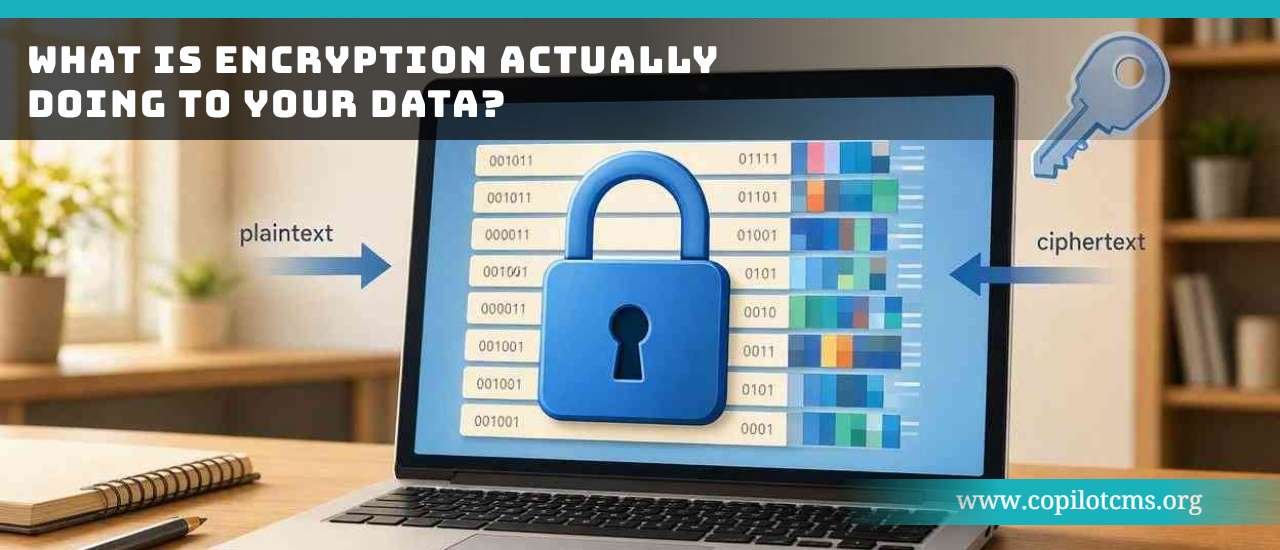
When you hear that your data is “encrypted,” it can sound as if your computer has somehow put the information inside an invisible vault. In reality, encryption is a clever mathematical way of turning readable information into scrambled information that is useless to anyone who does not have the right key.
First: What Does “Encryption” Mean?
Encryption is the process of changing information from a readable form into a scrambled form so that unauthorized people cannot understand it.
The original, readable information is called plaintext. After encryption, it becomes ciphertext.
For example, imagine that you want to send someone this message:
“Meet me at 5 PM.”
Before encryption, the message is perfectly understandable. After encryption, it might look like a meaningless collection of characters such as:
“8fK2$xP9...”—something that appears completely useless to a person who happens to intercept it.
The important point is that encryption does not necessarily hide the existence of the data. It hides what the data means.
The Real-World Version: A Locked Box
Imagine you have a valuable letter that you need to send through the mail.
You could simply put the letter in an envelope and send it. The envelope gives the letter some protection, but someone who manages to open it can read everything inside.
Now imagine putting the letter inside a strong locked box before sending it. The box can travel through many hands, but people who do not have the key cannot read the letter.
Encryption works somewhat like that locked box.
- Your readable data is the letter.
- The encryption process is what locks the box.
- The encrypted data is the locked box.
- The decryption key is what allows the intended person or system to open it.
There is one important difference: real encryption does not literally put your information inside a physical box. It uses mathematical algorithms to transform the information into a form that is extremely difficult to understand without the appropriate key.
What Actually Happens to the Data?
Let's follow a simple piece of information through the process.
Step 1: You Start With Readable Data
Suppose you type:
Hello!
Your computer represents those letters using numerical data. Computers ultimately work with patterns of bits—ones and zeros.
So although you see Hello!, the computer is actually working with a numerical representation of those characters.
Step 2: Encryption Uses an Algorithm
The computer feeds that data into an encryption algorithm.
An algorithm is simply a set of precise instructions for performing a task. Think of it as a recipe: if you follow the instructions correctly, you get the expected result.
Encryption algorithms are specially designed mathematical procedures that transform the original data into another form.
Step 3: A Key Controls the Transformation
The encryption algorithm also uses a key.
This is one of the most important ideas in encryption.
Think of the algorithm as a sophisticated lock and the key as the information needed to operate that lock.
Two people might use the same general encryption method, but different keys can produce completely different encrypted results.
Step 4: You Get Ciphertext
The result is ciphertext—the scrambled version of the original information.
To someone who does not have the necessary key, the ciphertext should be computationally impractical to turn back into the original message.
That last phrase matters. Good encryption is not necessarily “impossible to break” in a philosophical sense. Instead, modern encryption is designed so that trying to break it without the proper key would require an unrealistic amount of computing time or resources.
Encryption Is Not the Same as Hiding
This is an easy distinction to miss.
Imagine writing a letter in invisible ink. The message is hidden from ordinary view, but someone who knows how the ink works may be able to reveal it.
Encryption is different. The encrypted information can be completely visible, but without the correct key it should be extremely difficult to understand.
For example, when you visit a secure website, someone monitoring the network may be able to see that your device is communicating with a server. Encryption is intended to prevent that person from simply reading the protected contents of the communication.
How Does Decryption Work?
Encryption would not be very useful if the intended recipient could never read the information again.
Decryption is the reverse process: it transforms encrypted data back into a readable form.
In simplified form, the journey looks like this:
Readable data → Encryption + Key → Scrambled data
And later:
Scrambled data → Decryption + Appropriate key → Readable data
So when you receive an encrypted message, your device can use the appropriate cryptographic information to recover the original data.
Why Can't Someone Just Reverse the Process?
You might reasonably ask: if encryption changes the data using a known mathematical procedure, why can't an attacker simply reverse the procedure?
The answer is that modern encryption is deliberately designed to make that extremely difficult without the key.
Think about a combination lock.
You may know exactly how the lock works. You may even know that it uses four digits. But knowing that does not automatically tell you the correct combination.
If there are many possible combinations, trying them one by one can take a very long time.
Encryption works on a vastly larger mathematical scale. The number of possible keys can be enormous, making guessing the correct key impractical when the system is properly designed and implemented.
What Is an Encryption Key?
An encryption key is a piece of information used by a cryptographic system to control encryption and, depending on the type of encryption, decryption.
It is tempting to think of a key as a normal password. Sometimes the comparison is useful, but technically they are not necessarily the same thing.
A password is usually something a human chooses and remembers. A cryptographic key is normally generated specifically for cryptographic operations and can be much more complex.
In other words:
- Password: usually designed for a person to remember.
- Encryption key: designed for a cryptographic system to use.
Two Big Ways Encryption Keys Are Used
There are two major approaches you will encounter: symmetric encryption and asymmetric encryption.
Symmetric Encryption: One Shared Key
With symmetric encryption, the same secret key is used for both encryption and decryption.
Imagine that you and a friend have identical keys to the same locked box.
You put a message into the box and lock it with your key. Your friend uses their matching key to open it.
The challenge is obvious: how do you safely give your friend the key in the first place?
Symmetric encryption is very useful because it can be extremely efficient, especially when large amounts of data need to be encrypted.
Asymmetric Encryption: A Public Key and a Private Key
Asymmetric encryption uses a pair of mathematically related keys: a public key and a private key.
Think of a special mailbox.
The mailbox has an opening that anyone can use to put a letter inside, but only the person with the private key can open the mailbox and retrieve what is inside.
The public key can be shared openly. The private key is kept secret.
This solves an important problem: you do not necessarily have to secretly send someone your private key before communicating securely with them.
Asymmetric cryptography is also useful for things beyond simply encrypting messages, including digital signatures and establishing secure connections.
Why Do Websites Use HTTPS?
You've probably noticed that many websites begin with https:// instead of simply http://.
The “S” stands for Secure.
HTTPS uses cryptographic technologies to protect communication between your browser and the website.
For example, suppose you log into a website and send your password.
Without appropriate protection, data traveling across a network could potentially be observed by someone positioned to intercept that traffic.
With a properly secured HTTPS connection, the communication is protected by encryption so that an interceptor should not be able to simply read the contents of the connection.
This is especially important when using public networks, such as Wi-Fi in a café, airport, hotel, or other shared location.
Encryption While Data Is Traveling
Data often needs protection while it is moving between devices.
This is called encryption in transit.
Imagine sending a valuable package through a delivery company. The package passes through sorting centers, trucks, warehouses, and other locations before reaching its destination.
You want the contents protected throughout that journey.
Similarly, when information travels across the internet—from your phone to a website, for example—encryption can protect the contents while they are moving between systems.
Encryption While Data Is Stored
Data also needs protection when it is sitting still.
This is often called encryption at rest.
Think of your house. You might lock the front door even when nobody is entering or leaving. The lock protects your belongings while they are sitting inside.
Computers, phones, servers, and storage devices can similarly use encryption to protect stored information.
For example, if a laptop is lost or stolen, storage encryption can make it much harder for someone to remove the drive, access its contents, and simply read the files.
Your Phone May Already Be Encrypting Your Data
Modern smartphones can use encryption to protect information stored on the device.
Photos, messages, documents, application data, and other information may be stored in encrypted form.
That does not mean your phone is constantly turning everything into a mysterious jumble that you cannot use. The operating system handles the cryptographic operations behind the scenes.
When you successfully unlock your device, the operating system can provide authorized access to the protected data.
From your perspective, you simply open a photo and see the photo. Underneath, however, the storage system may be handling encrypted data.
What About Cloud Storage?
When you upload a photograph to a cloud service, the photo may travel across a network and then be stored on servers somewhere in a data center.
Encryption can play a role at several points in this journey.
- Your device can protect the connection while the photo is being uploaded.
- The service can encrypt the photo while storing it.
- A protected connection can be used again when you download or view the photo.
This is one reason it is useful to think about encryption as a process rather than as a single magical “security switch.” Different systems can encrypt different parts of the journey.
End-to-End Encryption: Who Can Read the Message?
You may have heard the phrase end-to-end encryption.
The basic idea is that the communication is encrypted at one end and remains protected until it reaches the intended endpoint.
Imagine writing a letter, placing it into a locked container, and arranging things so that only the intended recipient can unlock it. The postal workers can transport the container, but they are not supposed to be able to read the letter inside.
With genuine end-to-end encryption, the service carrying the communication is designed so that it cannot simply read the message contents as they travel through its systems.
However, the exact security properties depend on how a particular service implements its encryption. The words “encrypted” and “end-to-end encrypted” should not automatically be treated as meaning the same thing.
Encryption Doesn't Make You Invisible
This is another important misconception.
Encryption protects information, but it does not necessarily hide everything about a communication.
For example, depending on the technology being used, an observer may still be able to learn things such as:
- that two devices are communicating;
- when communication occurred;
- how much data was transferred;
- which server or service was contacted.
This kind of information is often referred to as metadata.
Think of sending a sealed letter. The person handling the envelope may not be able to read the letter, but the envelope might still reveal a destination, sender information, postage details, or the time it entered the postal system.
Encryption Doesn't Protect a Device That Is Already Unlocked
Encryption is powerful, but it is not a magic shield around everything you own.
If you unlock your phone and hand it to someone, they may be able to access information that the operating system has made available to you.
Similarly, if malicious software is already running on a computer while you are using it, encryption alone may not prevent that software from accessing information that you have legitimately opened.
Think of your house again. A locked front door is useful when the house is unattended. But once you invite someone inside, the lock does not automatically prevent that person from seeing things you show them.
What Happens If You Lose the Encryption Key?
This is where encryption's strength can become a problem.
If something is properly encrypted and the key is genuinely unavailable, there may be no convenient “Forgot your encryption key?” button.
That's the whole point.
A strong encryption system should not have a secret universal key that anyone can use to unlock everything. If it did, stealing or discovering that master key could undermine the entire system.
This is why backups, recovery mechanisms, account recovery, and secure key management are so important.
Is Encryption the Same as a Password?
Not exactly.
A password is often used to prove that you are allowed to access something. Encryption protects the data itself by transforming it into an unreadable form.
However, passwords can be involved in encryption systems. For example, a password may be processed into cryptographic material that helps protect an encrypted file.
A useful way to remember the difference is:
A password is often the thing you use to gain access. Encryption is the mechanism that protects the information.
What Does “Strong Encryption” Mean?
When security professionals describe encryption as strong, they generally mean that the underlying cryptographic system is designed so that recovering the protected information without the necessary key is computationally impractical.
Strong encryption depends on more than simply choosing a complicated-looking scrambling method.
A secure system also needs:
- a well-designed and thoroughly studied cryptographic algorithm;
- properly generated keys;
- secure handling and storage of keys;
- correct implementation;
- appropriate security settings and protocols.
A theoretically excellent lock is not very useful if someone leaves the key taped to the front door.
Why Encryption Can Still Fail
People sometimes hear “encrypted” and assume that everything is automatically safe. Unfortunately, real-world security is more complicated.
Encryption can be undermined by problems surrounding the encryption itself.
A Weak Password
If an encrypted system is protected by a weak or easily guessed password, an attacker may attack the password rather than the encryption algorithm.
A Stolen Key
If someone obtains the actual encryption key, the mathematical protection may no longer help against that person.
Malware
Malicious software running on a device may attempt to capture information before it is encrypted or after it has been decrypted.
Poor Implementation
Even a respected encryption algorithm can be used incorrectly. Security depends on the entire system, not merely on the name of the algorithm.
Human Mistakes
Someone can accidentally share a password, expose a recovery key, send confidential information to the wrong person, or leave an unlocked device unattended.
In other words, encryption can provide a very strong lock, but it cannot compensate for every possible weakness around the lock.
What Encryption Is Actually Doing, Step by Step
Let's put everything together using a simple example.
Suppose you type a private message into a messaging application.
- You create the message. The message begins as readable information.
- The application prepares the data. Your words are represented internally as computer data.
- Cryptographic algorithms process the data. Mathematical operations transform the information.
- Keys are involved. The cryptographic system uses the appropriate keys to control the transformation.
- The readable data becomes ciphertext. The protected information no longer looks like the original message.
- The encrypted data travels or is stored. Someone who intercepts the protected data should not be able to simply read it.
- An authorized device performs decryption. The appropriate cryptographic information is used to recover the original data.
- You see the original message. The complicated cryptographic work happens mostly behind the scenes.
To you, it looks like you typed a message and your friend received it. Underneath that simple experience, mathematics is doing a tremendous amount of work.
Why This Matters in Everyday Life
You don't need to be a mathematician to benefit from encryption. You probably encounter it dozens of times without thinking about it.
Encryption helps protect things such as:
- online banking sessions;
- shopping transactions;
- email and messaging;
- photos and documents stored on devices;
- cloud-stored information;
- passwords and account credentials while being transmitted;
- business and government communications;
- information moving between computer systems.
Whenever sensitive information moves through systems you do not physically control, encryption can provide an important layer of protection.
How Can You Tell Whether Your Connection Is Encrypted?
For ordinary web browsing, one of the easiest things to check is whether the website uses HTTPS.
Modern browsers generally indicate a secure HTTPS connection near the website address, often using a lock or similar security indicator.
However, remember what that indicator actually means. HTTPS protects the connection between your browser and the website. It does not automatically mean that the website itself is trustworthy, that the information stored by the company is perfectly protected, or that every possible security problem has been eliminated.
A scam website can also use HTTPS.
What Should You Do as an Everyday User?
You don't need to manually encrypt every file you create. Most modern devices and services perform many cryptographic operations automatically.
There are still some practical habits that help:
- Use strong, unique passwords for important accounts.
- Use a reputable password manager if managing many passwords becomes difficult.
- Keep your operating system and applications updated.
- Use device screen locks and strong authentication.
- Pay attention to whether websites use HTTPS.
- Be careful about what information you send through any service.
- Keep reliable backups of important data.
- Protect recovery codes and encryption keys as carefully as you protect passwords.
A Simple Mental Picture to Remember
If all the technical terminology becomes confusing, remember this picture:
Plaintext is a readable letter.
Encryption puts that letter into a mathematical lock.
Ciphertext is what the locked letter looks like while protected.
The key is the information needed by the cryptographic system to unlock it.
Decryption turns the protected information back into something you can understand.
That's the basic idea behind encryption.
The Takeaway
Encryption isn't making your data disappear, and it isn't simply hiding it somewhere. It is mathematically transforming readable information into a protected form so that anyone who gets hold of the encrypted data without the necessary key cannot practically understand it.
From the HTTPS connection in your browser to the encrypted storage on your phone, encryption is quietly working behind the scenes to turn the digital equivalent of an exposed letter into something much more like a locked box.
And that is perhaps the simplest way to understand what encryption is actually doing: it doesn't stop your data from existing or traveling—it makes the data useless to people who aren't supposed to read it.