Unix/Linux Operating System Under the Hood Processes, Memory, Files, Scheduling, and More
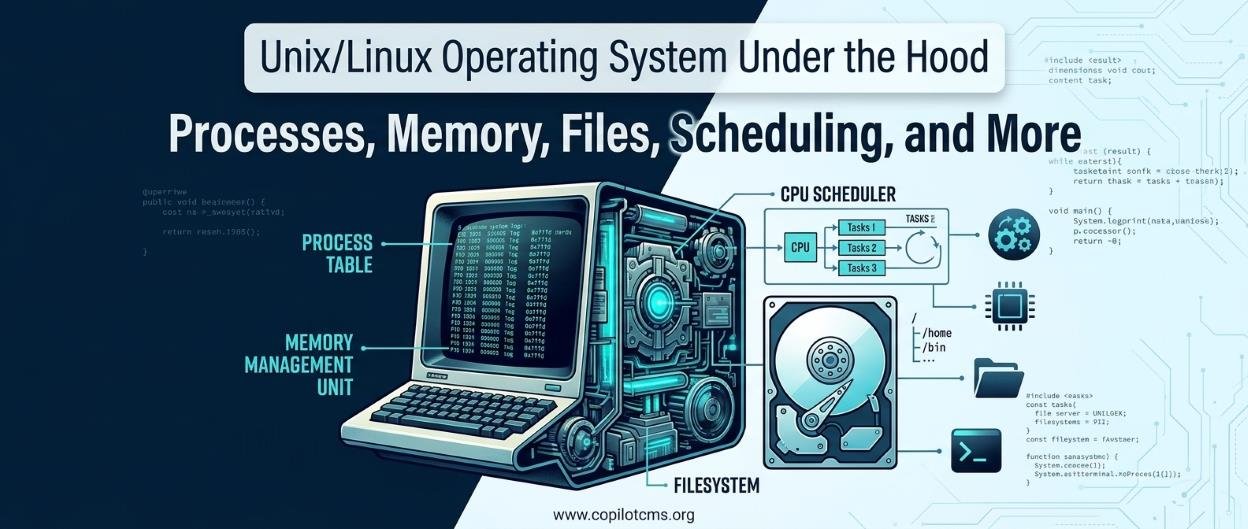
Every time you open a program, save a file, connect to a network, or run a command in a terminal, an operating system quietly coordinates dozens of activities behind the scenes. Unix and Linux are particularly interesting examples because their design reveals how computers manage programs, share resources, organize information, and keep multiple tasks running without getting in one another's way.
1. What Is an Operating System?
An operating system (OS) is the fundamental software that manages a computer's hardware and provides the environment in which applications run. It acts as a bridge between physical components, such as the processor, memory, storage devices, and keyboard, and the programs that people use every day.
Without an operating system, every application would need to know how to communicate directly with every hardware device it uses. That would make software much more complicated and difficult to maintain.
A Real-World Analogy: A Busy Restaurant
Imagine a restaurant. Customers place orders, cooks prepare meals, storage rooms hold ingredients, and staff members coordinate the work. A manager ensures that everyone gets the resources they need and that one customer's order does not disrupt everyone else's.
An operating system performs a similar coordinating role. Applications request services, the processor executes instructions, memory holds active information, and storage devices preserve files. The OS manages these activities so that the computer can operate as a unified system.
Major Types of Operating Systems
Operating systems can be classified in several ways, depending on how they handle tasks, users, hardware, and timing requirements.
- Batch operating systems: Process groups of jobs with limited direct interaction from users while the jobs are running.
- Multiprogramming operating systems: Keep multiple programs in memory so the processor can work on another task when one is waiting for an operation to finish.
- Time-sharing operating systems: Share processor time among multiple users or programs, giving each a chance to make progress.
- Real-time operating systems: Designed to respond within defined timing constraints, often in industrial equipment, vehicles, or medical devices.
- Distributed operating environments: Coordinate computing resources across multiple connected machines, although distribution is not necessarily a property of one individual OS.
- Embedded and mobile operating systems: Designed for devices with particular power, hardware, interface, or resource requirements.
- Network operating systems: Provide services that help computers communicate and share resources over a network.
These categories can overlap. Linux, for example, supports multitasking, multiple users, networking, and a wide range of embedded and server environments.
2. Unix and Linux: What Are They?
Unix is a family of operating systems whose ideas developed at Bell Laboratories in the late 1960s and early 1970s. Linux is a Unix-like operating system kernel first released by Linus Torvalds in 1991. Linux follows many traditional Unix design principles, but Linux is not itself the original Unix operating system.
Today, Linux is used in servers, cloud infrastructure, supercomputers, embedded devices, networking equipment, and desktop computers. Android also uses the Linux kernel.
What Makes Unix and Linux Different from Other Operating Systems?
One important feature is their emphasis on combining small tools, providing powerful command-line interfaces, supporting multiple users, and exposing system resources through consistent interfaces.
For example, a command-line utility that searches text can send its output to another utility that sorts the results. Instead of building a single enormous application for every possible task, users can combine simpler tools.
Linux is also open source. Its kernel source code is available for people to inspect, modify, and redistribute under its license. This has helped developers build many different Linux distributions, each combining the kernel with software, libraries, management tools, and often a graphical interface.
The Kernel and the Shell Are Not the Same Thing
Two important parts of a Unix-like environment are the kernel and the shell.
- The kernel: The central part of the operating system that manages hardware, processes, memory, and other system resources.
- The shell: A program that interprets commands and allows users to interact with the system. Examples include Bash and Zsh.
A shell is not the kernel. You can replace your shell without replacing the Linux kernel, just as you can change the application you use to control a device without replacing the device's internal controller.
3. The Main Components of an Operating System
An operating system contains several cooperating components. Each has a particular responsibility, but their work is closely connected.
The Kernel
The kernel manages fundamental resources, including the processor, memory, hardware devices, and access to files. It also enforces important boundaries between applications and the rest of the system.
Process Manager
The process-management subsystem creates processes, schedules their execution, handles their termination, and coordinates communication between them.
Memory Manager
The memory manager allocates memory to processes, tracks which memory is in use, and uses hardware-supported address translation to keep processes separated. It also supports virtual memory.
File-System Manager
The file-system subsystem organizes files and directories, manages metadata and permissions, and connects applications to storage devices through a common interface.
Device Drivers and Input/Output Management
Device drivers allow the kernel to communicate with hardware such as storage controllers, network adapters, and USB devices. The input/output subsystem coordinates these operations and manages requests to devices.
System Libraries and Utilities
System libraries provide reusable functions that applications can call to access operating-system services. Utilities provide everyday tools for working with files, processes, users, networks, and other resources.
How These Components Fit Together
Suppose you open a text editor and save a document. The shell or graphical desktop starts the editor. The kernel allocates memory and processor time. The editor requests file operations through system calls and libraries. The file system translates those requests into storage operations, and the device driver communicates with the storage hardware.
What looks like one simple action is actually a coordinated sequence of operations.
4. Operating-System Services and Structures
Services Provided by an Operating System
An OS does much more than start applications. Its services commonly include:
- Program execution: Loading programs into memory and allowing them to run.
- Input and output: Providing controlled access to devices.
- File manipulation: Creating, reading, writing, renaming, and deleting files.
- Communication: Enabling processes to exchange information locally or over a network.
- Error handling: Detecting and reporting hardware, software, and resource errors.
- Resource allocation: Distributing CPU time, memory, storage, and device access.
- Protection and security: Enforcing user permissions and boundaries between processes.
- Accounting and monitoring: Tracking resource usage and system activity.
System Calls: The Gateway to the Kernel
Applications generally cannot perform unrestricted hardware operations themselves. Instead, they request services from the kernel through mechanisms called system calls.
Consider an application that wants to read a file. It asks the operating system to open the file and read its contents. The kernel checks permissions, locates the requested information through the file-system subsystem, and arranges for the data to be returned.
Common Unix-like system calls include open(), read(), write(), close(), fork(), and execve(). Some programming interfaces wrap these system calls in more convenient library functions.
Operating-System Structures
Operating systems can organize their internal components in different ways.
- Monolithic kernels: Many core services, such as scheduling, memory management, and device drivers, operate within kernel space. Linux is generally described as a modular monolithic kernel.
- Microkernels: Keep the kernel relatively small and move more services into separate processes, with communication between components.
- Layered systems: Organize functionality into layers, with each layer relying on services provided by lower layers.
- Modular systems: Allow selected components to be added or removed without rebuilding the entire kernel. Linux supports loadable kernel modules.
- Hybrid designs: Combine ideas from multiple architectural approaches.
These are architectural categories rather than perfectly separate boxes. The important point is that an operating system must balance performance, reliability, maintainability, and security.
5. The Unix/Linux Interface: How Users and Programs Interact
When people think of Linux, they often imagine a terminal filled with commands. However, Linux supports both command-line and graphical interfaces.
Command-Line Interface
A command-line interface (CLI) lets users type commands into a shell. For example:
pwd
ls
mkdir projects
cd projects
The pwd command prints the current working directory, ls lists directory entries, mkdir creates a directory, and cd changes the shell's current directory.
The shell interprets the commands and starts programs or performs shell operations as appropriate. Those programs request kernel services when they need to interact with system resources.
Graphical User Interface
A graphical user interface (GUI) provides windows, icons, menus, buttons, and other visual controls. Desktop environments such as GNOME and KDE Plasma provide graphical facilities on many Linux systems.
The GUI and CLI are different ways to interact with software, not different kernels. A graphical file manager and a command-line utility can both access the same underlying file system.
Everything Is Not Literally a File
Unix popularized the idea that many resources could be accessed through file-like interfaces. Ordinary files, directories, device interfaces, pipes, and sockets can all be manipulated through related operations.
However, the familiar phrase "everything is a file" is a design principle, not a literal statement that every operating-system object is an ordinary file. Processes, memory mappings, network connections, and kernel objects have their own underlying representations and rules.
6. Processes: The Running Programs of the System
A program is a set of instructions stored somewhere, usually in a file. A process is an instance of a program that is being executed, together with the resources and state needed to manage its execution.
Think of a program as a recipe and a process as someone actively following that recipe in a kitchen. Several people can follow the same recipe at the same time, just as multiple processes can run the same executable.
What Does a Process Contain?
A process typically has its own virtual address space, execution state, security credentials, and references to resources such as open files. The operating system maintains information about each process in kernel data structures.
Important process information includes:
- Process ID (PID): An identifier for the process.
- Process state: Whether it is running, runnable, sleeping, stopped, or in another state.
- Program counter and CPU registers: Information needed to resume execution.
- Memory mappings: The process's view of its code, data, stack, and mapped regions.
- Open file descriptors: References used to access files, pipes, sockets, and other I/O resources.
- Scheduling information: Data used to determine when the process should receive processor time.
In Linux, you can inspect running processes with commands such as:
ps
ps aux
top
The exact options and displayed columns depend on the command and system.
Common Process States
A process does not spend all its time actively using the CPU. Its state changes as it runs, waits for resources, or finishes.
- Running: The process is executing on a CPU, or in Linux terminology may be eligible to run.
- Ready or runnable: The process can run but is waiting for processor time.
- Blocked or sleeping: The process is waiting for an event, such as completion of an I/O operation.
- Stopped: Execution has been suspended, for example by a debugging operation or signal.
- Terminated: The process has finished, although some termination information may remain until its parent collects it.
Operating-system textbooks often present these as a simplified process-state model. Linux uses more detailed internal states and exposes some of them through process-monitoring tools.
Creating Processes: fork() and exec()
Traditional Unix process creation is associated with two important operations: fork() and exec().
The fork() system call creates a child process based on the calling process. Linux commonly uses copy-on-write techniques, meaning that parent and child can initially share physical memory pages until one needs to modify them.
An exec()-family operation replaces the current process's program image with a different program. It does not normally create another process by itself; the process retains its PID while its executable image changes.
For example, a shell may create a child process and then have that child execute a command such as ls. The shell can wait for the command to finish before presenting the next prompt.
Process Termination and Zombie Processes
When a process finishes, the kernel releases most of its resources. Some information about its termination status may remain until its parent collects that status using an operation such as wait() or waitpid().
A process that has terminated but has not yet had its exit status collected is called a zombie process. A zombie is not a normally running program consuming CPU time. It is a completed process whose remaining bookkeeping information has not yet been cleared.
7. CPU Scheduling: Deciding Who Runs Next
A computer may have hundreds or thousands of active processes and threads, but a single CPU core can execute only one instruction stream at a time. The operating system must decide which runnable task should use each available CPU.
This decision-making process is called CPU scheduling.
The Short-Term Scheduler
The short-term scheduler selects a runnable task for execution. In Linux, scheduling decisions are made using kernel scheduling classes and policies, with different mechanisms for ordinary tasks, real-time tasks, and other categories.
The scheduler must consider competing goals: responsiveness, fairness, throughput, and the needs of tasks with different priorities or requirements.
The Dispatcher and Context Switching
In the traditional textbook model, the dispatcher hands the CPU to the task selected by the scheduler. It performs the operations needed to begin or resume execution, including switching execution contexts when necessary.
A context switch occurs when the CPU stops executing one task and starts executing another. The system must preserve enough information about the old task to resume it later and restore the execution state of the new task.
Context switching is essential for multitasking, but it has a cost. The kernel performs work, and switching between tasks may disrupt CPU caches and other performance optimizations.
Preemptive and Non-Preemptive Scheduling
In preemptive scheduling, the operating system can interrupt a running task and allow another task to run. This helps keep interactive systems responsive.
In non-preemptive scheduling, a task continues until it finishes, blocks, or voluntarily gives up the CPU, depending on the policy. This approach is simpler in some environments but can make other tasks wait longer.
Common Scheduling Algorithms
Operating-system courses often use simplified scheduling algorithms to explain the trade-offs involved in choosing which task runs next.
- First-Come, First-Served (FCFS): Tasks are served in arrival order. It is easy to understand but can make short tasks wait behind a long task.
- Shortest Job First (SJF): Selects the task with the shortest expected CPU burst. It can reduce average waiting time when burst lengths are known, but they usually must be estimated.
- Shortest Remaining Time First (SRTF): A preemptive variation of SJF that favors the task with the least remaining estimated processing time.
- Priority Scheduling: Tasks with higher priority are selected ahead of lower-priority tasks. Poorly designed priority policies can cause starvation.
- Round Robin: Gives runnable tasks turns using a time quantum. It is useful for illustrating time-sharing, although a real kernel's scheduling policy may be more sophisticated.
- Multilevel Queue Scheduling: Places tasks in different queues according to their category or characteristics.
- Multilevel Feedback Queue Scheduling: Allows tasks to move between queues based on their behavior and scheduling history.
These algorithms are valuable educational models, but they should not be confused with the exact internal scheduling policy used by a modern Linux kernel.
How Scheduling Algorithms Are Evaluated
There is no single scheduling algorithm that is best for every workload. Engineers evaluate algorithms using several measures:
- CPU utilization: How effectively the processor is kept busy.
- Throughput: How many tasks finish during a given period.
- Turnaround time: How long a task takes from arrival to completion.
- Waiting time: How long a task spends waiting for the CPU.
- Response time: How long it takes before a task first receives service or produces a response, depending on the definition used.
- Fairness: Whether tasks receive reasonable opportunities to make progress.
Simulation, mathematical analysis, and workload testing can help compare scheduling policies. Real systems also require consideration of power consumption, processor architecture, cache behavior, priorities, and latency requirements.
8. Threads: Multiple Paths of Execution
A thread is an individual path of execution within a process. A process can contain one thread or multiple threads working on different parts of a program.
Imagine an office where several employees share the same filing cabinets, equipment, and workspace. Each employee can work on a different task, but everyone has access to shared resources. Threads behave similarly: threads in the same process generally share its address space and many process resources, while each thread has its own execution state and stack.
Why Programs Use Threads
- Responsiveness: An application can keep its interface responsive while another thread performs a lengthy operation.
- Parallelism: Threads can execute simultaneously on multiple CPU cores.
- Resource sharing: Threads can work with shared data without needing separate process address spaces.
- Concurrency: A program can make progress on several activities during overlapping periods, even when they are not executing simultaneously.
Concurrency means tasks overlap in their progress; parallelism means tasks actually execute at the same time. Threads can provide both, depending on the hardware and workload.
Processes Versus Threads
Separate processes usually have separate virtual address spaces, which provide a useful isolation boundary. Threads in one process generally share memory and many other resources, making communication easier but introducing risks when several threads modify shared data.
Linux represents both processes and threads using kernel task structures. Common Linux threads are scheduled by the kernel, and threads belonging to the same multithreaded process share selected resources.
Sharing memory can make threads efficient, but it also means programmers must carefully coordinate access to shared information.
9. Inter-Process Communication (IPC)
Separate processes often need to exchange information. A web server might receive a request in one process and communicate with another process that performs a specialized task. Operating systems provide mechanisms for this communication, collectively called inter-process communication, or IPC.
Shared Memory
Shared memory allows multiple processes to access a common memory region. It can be very efficient because processes can exchange data without repeatedly copying it through a separate communication channel.
However, shared memory does not automatically coordinate access. If two processes update the same data simultaneously, they may interfere with each other. Synchronization mechanisms are often needed.
Pipes
A pipe provides a communication channel through which one process can send a stream of data to another. A familiar shell example is:
ps aux | grep python
Here, the shell connects the output of ps aux to the input of grep python. The first command produces text, and the second filters that text.
A pipe is like a conveyor belt: one program places items on the belt, and another receives them from the other end.
Named Pipes (FIFOs)
A FIFO, or named pipe, is a communication channel associated with a name in the file system. Unlike an ordinary anonymous pipe, a FIFO can be opened by processes that do not have a direct parent-child relationship, provided they can access the FIFO and coordinate their use of it.
The name FIFO comes from "first in, first out": data is read in the order it enters the stream. A FIFO is not a general-purpose disk file in which data is permanently stored for later retrieval. It is a communication mechanism, and its behavior depends on how readers and writers open and use it.
A FIFO can be created using:
mkfifo communication_pipe
Processes can then open the named pipe and exchange data. Depending on how the pipe is opened and whether a reader or writer is available, an operation may block until the other side is ready.
Signals
Signals notify a process that a particular event has occurred or that it should respond to a request. For example, a terminal may send a signal when a user presses Ctrl+C to interrupt a foreground command.
Signals are useful for notifications and control, but they are not designed to carry large amounts of arbitrary data.
Message Queues and Sockets
Message queues allow processes to exchange discrete messages through a managed queue. Sockets provide communication endpoints that can be used between processes on the same computer or across a network.
Unix-domain sockets are particularly useful for local communication between services. Network sockets are fundamental to client-server applications such as web browsers and web servers.
Choosing an IPC Mechanism
The best IPC method depends on the problem. Pipes are convenient for stream-based communication, FIFOs can connect independently started processes, shared memory can support high-throughput data exchange, and sockets provide flexible communication between services.
10. The Critical-Section Problem
Whenever multiple processes or threads access shared data, the operating system and application must ensure that their operations do not interfere in unintended ways.
A critical section is a part of a program that accesses a shared resource and must be protected against conflicting concurrent operations.
A Real-World Example: Two People Updating One Bank Account
Imagine that two bank employees look at an account containing $100. One employee withdraws $30, while another withdraws $20. If both read the original balance before either update is recorded, each might calculate a different new balance from the same starting value. One update could overwrite the other, producing an incorrect result.
This is a race condition: the outcome depends on the timing and ordering of operations.
The same kind of problem can happen when two threads increment a shared counter, update a database record, or modify a shared data structure without adequate coordination.
Requirements for a Good Critical-Section Solution
Operating-system theory commonly identifies three important goals:
- Mutual exclusion: Only one participant at a time can execute the protected operation when exclusive access is required.
- Progress: If no one is in the critical section and some participants want to enter, the decision about who enters should not be postponed indefinitely by irrelevant participants.
- Bounded waiting: A participant requesting entry should not be forced to wait forever while others repeatedly enter ahead of it, under the assumptions of the particular solution.
These requirements describe the correctness and fairness properties that synchronization algorithms aim to provide.
Hardware Solutions to Critical-Section Problems
Modern processors provide atomic operations that allow software to coordinate access to shared data safely. An atomic operation is performed as one indivisible operation from the perspective of competing threads.
Examples include:
- Test-and-set: Atomically checks and sets a lock variable.
- Compare-and-swap (CAS): Changes a value only if it matches an expected value.
- Atomic exchange: Replaces a value while returning its previous value.
- Load-linked/store-conditional: A processor-supported pair of operations used on some architectures to implement synchronization.
These instructions form building blocks for locks, mutexes, semaphores, and lock-free data structures. They must be used with correct memory-ordering rules and other architecture-specific considerations.
Disabling interrupts is another technique discussed in operating-system theory, but it is not a general solution for user-space synchronization on modern multiprocessor systems. It is privileged, limited in scope, and cannot by itself coordinate arbitrary threads across multiple CPUs.
11. Mutexes, Semaphores, and Synchronization
Atomic hardware operations are powerful, but most application programmers use higher-level synchronization tools rather than building synchronization from scratch.
Mutexes
A mutex, short for mutual-exclusion lock, allows one thread at a time to hold a lock protecting a shared resource. Other threads must wait until the lock becomes available.
Imagine a meeting room with one key. Whoever holds the key may use the room; everyone else must wait until the key is returned.
In multithreaded programs, a mutex can protect a shared counter, a collection of records, or a data structure. The protected region should be kept appropriately small, and every path through the program must handle the lock correctly.
Semaphores
A semaphore maintains a counter that controls access to a resource or coordinates events. Its operations are commonly described as wait and signal, also called P and V in classical terminology.
A counting semaphore can represent several available resource slots. For example, if a service has five identical connections available, a semaphore initialized to five can help limit concurrent users of those connections.
A binary semaphore has two principal states and can be used for signaling or coordination. However, unlike a typical ownership-based mutex, a semaphore generally does not require the same thread that performed the wait operation to perform the signal operation.
Classical Synchronization Problems
Operating-system courses use several classic problems to illustrate the challenges of coordination.
- Producer-consumer problem: Producers place items into a shared buffer, and consumers remove them. Synchronization must prevent the buffer from being overfilled, emptied incorrectly, or accessed inconsistently.
- Readers-writers problem: Multiple readers may be allowed to inspect shared data at the same time, while writers need appropriate exclusive access.
- Dining philosophers problem: Several participants compete for limited shared resources. Poor resource-acquisition strategies can create deadlock or starvation.
These examples are simplified models of real challenges in databases, operating systems, network services, and multithreaded applications.
12. Deadlocks and Starvation
Synchronization helps programs cooperate, but poorly coordinated resource requests can cause processes to stop making progress.
What Is a Deadlock?
A deadlock occurs when a group of processes or threads is permanently or indefinitely waiting for conditions that only members of that group can bring about, so none can proceed.
Imagine two people standing in a narrow corridor. Each refuses to move aside until the other moves first. Neither can proceed, and the situation remains stuck.
In computing, one process might hold a lock for Resource A while waiting for Resource B. Another process holds Resource B while waiting for Resource A. Both wait forever unless something intervenes.
The Four Conditions for Deadlock
Classical operating-system theory identifies four conditions that must hold simultaneously for the standard deadlock model:
- Mutual exclusion: At least one resource cannot be shared simultaneously.
- Hold and wait: A process holds one or more resources while waiting for others.
- No preemption: Resources cannot simply be taken away under the model's assumptions; they must be released voluntarily.
- Circular wait: A cycle exists in which each participant waits for a resource held by the next participant.
Breaking at least one of these conditions can prevent deadlock within the model being considered.
Deadlock Prevention
Deadlock prevention designs the system so that at least one necessary condition cannot occur. For example, an application can require resources to be acquired in a consistent global order, reducing the possibility of circular wait.
Prevention can be effective, but it may restrict flexibility or reduce resource utilization.
Deadlock Avoidance
Deadlock avoidance examines resource requests before granting them and allows a request only if the system can remain in a safe state under the assumptions of the avoidance method.
The classic Banker's algorithm is an educational example. It considers currently available resources, allocated resources, and declared maximum demands to determine whether a safe sequence of completion exists.
In real systems, complete information about every task's maximum future resource needs is often unavailable, so this approach is not universally practical.
Deadlock Detection and Recovery
Another approach is to allow deadlocks to occur, detect them, and recover. Depending on the system, recovery might involve terminating one or more processes, rolling back work, or releasing resources when safe to do so.
Detection and recovery can be appropriate when deadlocks are uncommon and prevention would be too restrictive. However, recovery may cause lost work or inconsistent application state if the application was not designed for it.
What Is Starvation?
Starvation occurs when a process waits indefinitely because it repeatedly fails to obtain the CPU or another resource it needs, even though the system as a whole continues to make progress.
For example, a low-priority process may keep losing access to the CPU when higher-priority processes continually arrive. Unlike a deadlock, other processes can continue running.
Fair scheduling policies, carefully designed locks, and techniques such as priority aging can help reduce starvation. Priority inheritance can also help address certain priority-inversion problems, in which a lower-priority task holds a resource needed by a higher-priority task.
13. Input and Output: Communicating with the Outside World
Input/output, usually abbreviated I/O, is how a computer receives information from and sends information to devices. Reading a file, receiving network data, displaying text, and writing to a USB drive are all examples of I/O.
How an I/O Operation Works
Suppose an application requests data from a storage device. The application makes a request through an operating-system interface. The kernel checks access permissions and coordinates with the relevant file-system and device-driver components. The hardware performs the operation, and the kernel makes the result available to the application.
The exact sequence depends on the device, file system, caching behavior, and I/O method being used.
Blocking and Nonblocking I/O
With blocking I/O, a thread may wait until an operation can proceed or complete. With nonblocking I/O, a request returns without waiting for all the requested work to finish, allowing the program to do other work or check again later.
Asynchronous I/O provides another approach in which the application can submit work and receive completion information later. These techniques are useful for applications that handle many connections or long-running operations.
Buffering and Caching
A buffer temporarily holds data while it moves between components that operate at different speeds. A cache retains useful data so that later requests may be served more quickly.
For example, a program may accumulate several small writes in a buffer before sending them onward. The Linux kernel also uses memory caching to reduce unnecessary physical storage access.
Buffering and caching are related but distinct: buffering helps manage data movement and timing, while caching primarily aims to avoid repeating expensive work.
14. Memory Management: How Linux Uses RAM
RAM is limited, and multiple applications may need memory at the same time. The operating system must allocate memory, protect one process from another, and reclaim memory when it is no longer needed.
Virtual Memory
Most modern Unix-like systems provide each process with its own virtual address space. A program works with virtual addresses, which the processor and operating system translate into physical memory locations when necessary.
Virtual memory gives programs a more convenient and isolated view of memory than directly using physical RAM addresses. It also supports features such as shared libraries, memory-mapped files, and pages that are not currently resident in RAM.
Think of virtual memory as an office building's room-numbering system. Employees use room numbers to find the spaces assigned to them, while a central management system determines where those spaces are physically located.
Paging
Paging divides virtual memory into fixed-size blocks called pages and physical memory into corresponding blocks called frames. Page tables record how virtual pages map to physical frames or describe other states, such as pages that are not currently resident.
When a process accesses an address, the processor's memory-management unit (MMU) translates the virtual address into a physical address using the available translation information.
Hardware Support for Paging
The MMU performs address translation and enforces memory-access permissions using processor-supported mechanisms. A translation lookaside buffer (TLB) caches recently used address translations to speed up access.
If the required translation is not available in the TLB, the processor may consult page tables. If the access cannot proceed normally, the processor may raise a page fault for the operating system to handle.
A page fault does not necessarily mean an error. It may be a normal part of bringing a page into memory or resolving a valid memory mapping.
Segmentation
Segmentation divides a program's address space into logical regions, such as code, data, and stack. It provides a useful conceptual model because these regions have different purposes and protection requirements.
Traditional hardware segmentation is prominent in some older memory-management designs. Modern 64-bit Linux systems primarily rely on paging for virtual-memory management, although processor architectures may retain limited segmentation-related features.
Demand Paging
Demand paging means that a page is brought into physical memory when it is actually needed, rather than loading every possible page in advance.
For example, a large program may contain features that a user never opens. Loading every page immediately would waste memory. Demand paging allows the system to bring in relevant pages as execution reaches them.
When a valid access requires a page that is not currently resident, the kernel may need to retrieve its contents from a file, create a new zero-filled page, or perform another operation appropriate to the mapping.
Page Replacement Algorithms
When physical memory is under pressure, the system may need to reclaim pages. Textbooks describe page-replacement algorithms that select which page should be removed when a replacement is necessary.
- FIFO (First-In, First-Out): Replaces the page that has been in memory the longest.
- Optimal replacement: Replaces the page whose next use is farthest in the future. This is mainly a theoretical benchmark because the future is not generally known.
- Least Recently Used (LRU): Replaces the page that has not been used for the longest time, assuming recent use helps predict future use.
- Clock algorithm: Uses reference information to approximate recency efficiently.
These are useful models for understanding memory management. Modern Linux does not simply implement one textbook algorithm as its entire page-replacement policy. It uses more sophisticated memory-reclaim mechanisms that consider workload behavior, page types, and other factors.
Thrashing: When Memory Pressure Becomes a Problem
Thrashing occurs when a system spends so much time handling memory reclamation and repeated page faults that useful application work slows dramatically.
Imagine trying to work at a small desk while constantly moving books between the desk and a distant storage room. If the books you need keep being moved away just before you use them, most of your time is spent fetching and replacing books rather than working.
Thrashing can happen when the combined active memory demands of processes exceed what the system can handle efficiently. Adding RAM, reducing the number of memory-intensive tasks, or improving application memory usage may help, depending on the cause.
Swap Space
Linux systems may use swap space on a disk or other storage medium to hold selected memory contents that are not currently needed in physical RAM. Swap provides additional flexibility under memory pressure, but storage is generally much slower than RAM.
Swap is not a perfect substitute for sufficient physical memory. If the system continually moves data between RAM and swap, performance may deteriorate significantly.
15. Files and Directories: Organizing Information
Files and directories provide a structured way to store and locate information. Unix-like systems present a unified directory hierarchy, typically beginning at the root directory, written as /.
Understanding the Directory Structure
Unlike a system where every storage device necessarily has a separate visible drive letter, Unix-like systems generally attach file systems into one directory tree through mount points.
Common directories include:
/: The root of the directory hierarchy./home: Commonly contains ordinary users' home directories./etc: Contains system-wide configuration files./binand/usr/bin: Common locations for executable programs, depending on the distribution's layout./var: Stores variable data such as logs, caches, and service data./tmp: Provides space for temporary files./dev: Contains device-related interfaces represented as file-system entries./proc: Provides a virtual interface to process and kernel information./sys: Exposes information and controls associated with kernel devices and subsystems.
The exact organization varies by distribution. Some directories may be symbolic links, and some contain virtual file systems rather than ordinary files stored on disk.
Files, Inodes, and File Descriptors
In many Unix file systems, an inode stores metadata about a file, such as its ownership, permissions, timestamps, and references to its data blocks. The filename is stored in a directory entry that associates a name with an inode.
This separation explains why one file can have multiple hard links: several directory entries can refer to the same inode.
When a process opens a file, it receives a file descriptor, which is a small integer used to refer to the open resource. Standard file descriptors are conventionally numbered as follows:
0: Standard input.1: Standard output.2: Standard error.
These interfaces help programs work with files, pipes, and other resources using a consistent programming model.
File Permissions and Protection
Unix-like systems support permission mechanisms that control who can read, write, or execute a file. Traditional permissions distinguish among the file's owner, its group, and other users.
For example, the command:
ls -l report.txt
can display the file's permissions, ownership, size, and other information.
A permission string such as -rw-r--r-- indicates a regular file whose owner can read and write, while the group and other users can read it. Actual access decisions can also involve directory permissions, access-control lists, security modules, and other rules.
Protection is essential on multi-user systems because one user's files should not automatically be available for modification by every other user.
16. File Systems and File Allocation
A file system defines how files and directories are represented, how their metadata is stored, and how their data is located on a storage device.
Linux supports many file-system types, including ext4, XFS, Btrfs, FAT variants, and others. Different file systems offer different combinations of features, performance characteristics, recovery mechanisms, and administrative tools.
How File Allocation Works
A file's contents must be associated with locations in the underlying storage system. Traditional file-allocation approaches illustrate different ways of organizing those locations.
- Contiguous allocation: Stores a file in consecutive storage blocks. This can provide efficient sequential access but may make growth and free-space management difficult.
- Linked allocation: Connects the blocks of a file through pointers. This supports flexible growth but can make random access less efficient.
- Indexed allocation: Uses an index structure to locate the blocks belonging to a file, allowing more flexible access.
These are classical models rather than a complete description of modern file systems. Contemporary implementations use structures such as extents, trees, metadata indexes, and allocation groups to balance performance and storage-management costs.
Journaling and Reliability
Some file systems use journaling to help recover from crashes or sudden power loss. A journal records selected changes or the operations needed to make a consistent update, allowing the file system to recover more reliably after an interruption.
Journaling does not guarantee that every recently written application document will survive a power failure. File-system consistency, application-level data integrity, write caching, and backup protection are separate concerns.
17. Disk Space Management
Storage devices have limited capacity, so the operating system must track which areas are available and which are in use. File systems also need to manage metadata, reserve space where appropriate, and handle allocation and deallocation as files change.
Free-Space Tracking
File systems may track free storage using bitmaps, free-space trees, or other data structures. When a file grows, the file system selects available space and records the allocation. When data is removed, its blocks can eventually become available for reuse.
The details depend on the file system and its features, such as snapshots, delayed allocation, compression, and copy-on-write behavior.
Checking Disk Usage in Linux
Several commands help administrators investigate storage usage:
df -h
du -sh /home
lsblk
The df -h command reports file-system space usage in a human-readable format. The du -sh /home command estimates the disk space associated with the specified directory. The lsblk command displays information about block devices and their relationships.
These commands answer different questions. A directory's reported size may not match the available-space figures from df, especially when deleted files remain open, snapshots retain old data, or file-system metadata and reserved space affect the totals.
Why Disk Space Can Disappear
Storage can fill up because of large downloads, log files, caches, backups, database files, temporary data, or files that grow unexpectedly.
On a Linux server, a full file system can prevent applications from writing logs, saving user data, or completing updates. Checking disk usage regularly and configuring appropriate log rotation and backup policies can help prevent these problems.
18. How Processes, Memory, Files, and Scheduling Work Together
The operating-system components discussed so far are not independent features. They cooperate continuously to make applications work.
Consider what happens when you run a command that reads a large file and sorts its contents.
- The shell starts the command: It arranges for the requested executable to run, often using process-creation and program-execution mechanisms.
- The kernel schedules the process: The process becomes runnable and receives CPU time when selected by the scheduler.
- Memory is allocated: The process uses virtual memory for its code, data, stack, and working buffers.
- The file is opened: The application requests access through the file-system interface.
- Data is read: The kernel and storage subsystem provide the file's contents, potentially using cached data or performing physical I/O.
- The processor performs the work: The program compares values, moves data, and produces sorted output.
- Other tasks continue: If the process blocks for I/O or loses the CPU to another runnable task, the scheduler can allow other work to proceed.
- The results are written: Output may go to a terminal, a file, or another process through a pipe.
- The process exits: Its resources are released, and its parent may collect its exit status.
This sequence demonstrates the operating system's central responsibility: coordinating many different resources while providing applications with a relatively simple environment.
19. Why Understanding Unix/Linux Internals Matters
You do not need to understand every kernel data structure to use a computer. However, learning the fundamentals makes it easier to diagnose problems, understand technical documentation, and build reliable software.
When a Computer Becomes Slow
A slow system may be experiencing CPU contention, memory pressure, excessive disk activity, or a resource problem in a particular application. Useful commands include:
top
free -h
vmstat 1
top helps inspect processes and CPU usage. free -h summarizes memory and swap information, and vmstat 1 reports system activity at intervals.
Linux uses available memory for caching, so low-looking free memory alone does not necessarily mean the system is short of RAM. Memory pressure and swap activity provide additional context.
When an Application Stops Responding
An unresponsive application might be waiting for disk access, network data, a lock held by another thread, or an external service. It might also be stuck in an infinite loop or consuming too much CPU.
Inspecting the process list, application logs, and resource usage can help distinguish these situations. Blindly terminating processes may lose unsaved work or hide the underlying cause.
When a File Cannot Be Opened
A permission error may indicate that the user lacks the required file or directory permissions. The problem could also involve a read-only file system, an unavailable mount, a security policy, or a missing file.
Commands such as ls -l, id, and df -h can help investigate common causes, although more specialized problems may require additional tools.
When Storage Is Full
Use df -h to identify full file systems and du to investigate large directories. If the disk appears full even after files have been deleted, a process may still have a deleted file open, or snapshots and other file-system features may be retaining data.
Understanding the distinction between a file's name, its underlying storage, and the process holding it open makes such problems much easier to diagnose.
When Applications Interfere with One Another
Unexpected results in concurrent software can be caused by race conditions, incorrect lock handling, deadlocks, or starvation. Understanding critical sections, mutual exclusion, and IPC provides the foundation for identifying these bugs.
20. The Takeaway
Unix and Linux show how much work happens behind the scenes whenever a computer runs a program. The kernel manages processor time, coordinates processes and threads, protects memory, handles input and output, and organizes access to files and storage devices.
Process scheduling determines which tasks get CPU time. Virtual memory gives programs convenient, isolated address spaces. IPC allows processes to exchange information, while synchronization mechanisms help prevent conflicting operations. File systems organize persistent information, and disk-space management keeps storage usable.
The most important idea is that an operating system is not merely a screen, a collection of commands, or a program launcher. It is a resource-management system that coordinates hardware and software so that many activities can coexist safely and efficiently. Once you understand these basic mechanisms, the behavior of Linux, servers, applications, and computers in general becomes much easier to explain.