
What Are Regular Expressions (Regex), and How Are They Used to Process Text and Data?
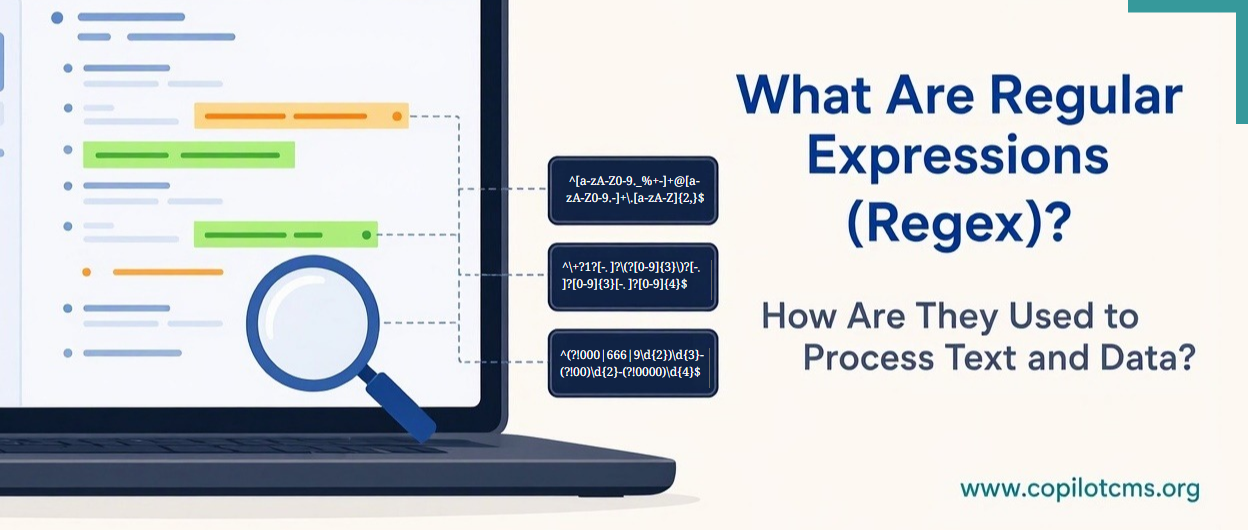
What Are Regular Expressions (Regex)?
Imagine searching through thousands of documents to find every email address, phone number, or date. Reading each document individually would take forever. But what if you could describe the exact pattern you were looking for and let a computer find every match automatically? That is essentially what regular expressions do.
Regular expressions, commonly called Regex or RegEx, are powerful tools used in programming and data processing to search, identify, extract, validate, and replace specific patterns of text. They help computers recognize not just individual words, but also the structure and arrangement of characters within text.
What Exactly Is a Regular Expression?
A regular expression is a sequence of ordinary characters and special symbols that describes a particular text pattern. Instead of telling a computer to look for one exact word or phrase, you give it a pattern that can match many different pieces of text sharing the same structure.
For example, suppose you want to find all email addresses in a large collection of documents. You probably do not know the actual addresses in advance. However, you know that an email address generally contains:
- Some characters representing a username.
- An at sign (@).
- A domain name.
- A dot followed by a domain extension, such as .com or .org.
A regular expression can describe this general arrangement and help a computer locate text that follows it.
Similarly, you could create patterns to identify phone numbers, postal codes, dates, web addresses, identification numbers, or other types of text.
A Real-World Analogy: A Special Search Filter
Think of a regular expression as an advanced search filter in a filing system.
Imagine that a library contains 10,000 documents, and you want to find every document containing a ten-digit phone number. You could open every document and inspect it manually, or you could give a librarian a rule:
"Find any sequence consisting of exactly ten digits, regardless of which digits they are."
The librarian now knows what to look for. You do not need to provide every possible phone number; you only need to describe the pattern.
A regular expression does something similar, except that it can search through text automatically and at a much greater speed.
How Do Regular Expressions Work?
Regular expressions work by combining ordinary characters with special symbols that represent rules about what should appear in a piece of text.
For example, consider the following pattern:
catThis is a simple regular expression. It searches for the exact sequence of characters "cat". It can find that word wherever it appears in a larger piece of text.
But regular expressions become much more interesting when special symbols are introduced.
Understanding Some Common Regex Symbols
Here are some commonly used symbols and what they mean:
- . (dot): Matches almost any single character, depending on the regex settings.
- \\d: Matches any digit from 0 to 9.
- \\w: Matches a word character, typically a letter, digit, or underscore.
- \\s: Matches whitespace, such as a space, tab, or newline.
- +: Matches one or more occurrences of the preceding character or pattern.
- *: Matches zero or more occurrences of the preceding character or pattern.
- ?: Makes the preceding character or group optional, in its usual use.
- ^: Matches the beginning of a line or text, depending on the mode.
- $: Matches the end of a line or text, depending on the mode.
- [ ]: Defines a set or range of characters to match.
- { }: Specifies how many times the preceding character or pattern should occur.
- ( ): Groups parts of a pattern together.
- |: Means OR, allowing a pattern to match one alternative or another.
These symbols allow programmers to describe surprisingly complex patterns using relatively short expressions.
A Simple Example: Finding Numbers
Suppose you want to find every sequence of digits in a paragraph. You could use:
\\d+Here is what this pattern means:
- \\d means any digit from 0 to 9.
- + means one or more occurrences of that digit pattern.
Imagine the following sentence:
There are 25 students in Room 104, and the class starts at 9.The regular expression would find:
- 25
- 104
- 9
Notice that you did not tell the computer which numbers to find. You simply described what a number looks like.
What Types of Data Processing Do Regular Expressions Cover?
This is where regular expressions become especially useful. They are primarily designed for working with text and character patterns. They can support several important data-processing activities.
1. Searching for Specific Text Patterns
One of the most common uses of regular expressions is finding particular patterns inside large amounts of text.
For example, a company might need to search thousands of customer records for:
- Email addresses.
- Phone numbers.
- Dates and times.
- Postal codes.
- Customer identification numbers.
- Specific words or phrases.
Instead of searching for each possible value separately, a regular expression can identify all text matching the required pattern.
2. Extracting Information from Text
Sometimes you do not want to find an entire document. You only want to extract particular pieces of information from it.
For example, imagine receiving a large collection of messages containing sentences such as:
Please contact us at support@example.com for assistance.
For further information, email sales@company.org.
A suitable regular expression can identify and extract the email addresses from these sentences.
This is useful in applications that collect information from documents, process customer messages, analyze text files, or organize unstructured information.
3. Validating User Input
Regular expressions are frequently used to check whether information entered by a user follows an expected format.
For example, when filling out an online registration form, you might be asked to enter:
- A phone number containing a particular number of digits.
- A postal code following a specified format.
- A username containing only permitted characters.
- A reference number following a predefined structure.
A regular expression can check whether the entered text follows the required pattern.
Consider this example:
^\\d{5}$This pattern checks for exactly five digits, with nothing else before or after them. It could be used to check a five-digit postal code format.
However, there is an important distinction: matching a pattern does not necessarily prove that the information is genuine or correct.
For example, a five-digit number might follow the format of a postal code without actually being an assigned postal code. Similarly, a regular expression might identify something that looks like an email address without confirming that the address exists or can receive messages.
4. Replacing and Cleaning Text
Regular expressions are also useful for modifying text automatically.
Imagine that a document contains hundreds of phone numbers written in different formats. Some might contain spaces, others hyphens, and some parentheses.
You could use regular expressions to identify unwanted characters and replace them with a consistent format.
Other examples include:
- Removing unnecessary spaces from text.
- Replacing repeated punctuation marks.
- Removing unwanted special characters.
- Standardizing date or number formats.
- Replacing outdated words or phrases throughout a document.
This process is commonly called text cleaning or text normalization.
5. Splitting Text into Smaller Parts
Sometimes data arrives as a long string of text, but you need to divide it into smaller pieces.
For example, consider this information:
Ali,Ahmed,Sara,Fatima,HassanA program could use a comma-based regular expression to split this string into individual names.
Regular expressions can also help split text using more complicated rules, such as commas, semicolons, tabs, or multiple spaces.
This is particularly useful when processing text files, importing data, and preparing information for further analysis.
6. Filtering and Classifying Text
Regular expressions can help programs identify and separate text based on its structure.
For example, a system processing customer messages might look for patterns such as:
- Messages containing an order number.
- Messages mentioning a date in a particular format.
- Records containing a particular identification code.
- Text beginning with a specific prefix.
Based on these matches, the program can decide how to handle different pieces of information.
For instance, a message containing an order number might be sent to an order-support process, while a message containing a particular reference code might be directed elsewhere.
What Kind of Data Can Regular Expressions Process?
Although regular expressions are primarily associated with text, the range of information they can handle is quite broad. The important point is that they work with the textual representation of information rather than understanding its meaning.
Here are some examples:
Numbers and Numerical Patterns
Regular expressions can identify sequences of digits, decimal numbers, negative numbers, and other numerical formats.
For example, a pattern could locate prices written as $25.50 or reference numbers containing a fixed number of digits.
Dates and Times
They can identify dates written in formats such as:
- 2026-11-02
- 02/11/2026
- 11:30 AM
They can also help standardize date and time formats. However, checking whether a date is actually valid, such as whether February 30 exists, generally requires additional programming logic.
Names and Words
Regular expressions can search for particular words, identify words beginning with certain letters, or locate text containing specified character combinations.
They can also help identify words written in uppercase or lowercase, depending on the pattern and matching settings.
Identification Numbers and Codes
Many organizations use identification numbers and codes that follow predictable structures.
Examples include:
- Employee identification numbers.
- Product codes.
- Invoice numbers.
- Tracking numbers.
- Transaction references.
Regular expressions can locate these codes and check whether they follow the expected format.
Web Addresses and Email Addresses
Regular expressions can identify text that resembles web addresses and email addresses. They are commonly used in applications that process website content, registration forms, and customer information.
However, complete validation of complex formats can be more complicated than a simple regular expression. In many situations, specialized validation libraries or other programming techniques are preferable.
Where Are Regular Expressions Used in Real Life?
Regular expressions are not limited to academic exercises or specialist programming tasks. They are used in many everyday applications, often without users realizing it.
1. Website Registration Forms
When you register for an online account, the website may check whether your username, email address, or other information follows an acceptable format.
Regular expressions can help perform some of these checks before the information is submitted.
2. Search and Replace in Text Editors
Many advanced text editors and word-processing tools support regular expressions in their search-and-replace features.
For example, a programmer working with thousands of lines of code can search for every occurrence of a particular naming pattern or replace several variations of a text fragment at once.
3. Log File Analysis
Computers and web servers generate log files containing records of activities, errors, requests, and other events.
Regular expressions can help technical professionals locate error messages, extract IP addresses, identify timestamps, and find particular types of requests in these files.
4. Data Import and Migration
When information is transferred from one system to another, it may need to be cleaned or reformatted first.
Regular expressions can help identify inconsistent values, remove unwanted characters, and prepare text-based information for importing into another application or database.
5. Cybersecurity and System Administration
Security professionals and system administrators sometimes use regular expressions to examine logs, identify suspicious patterns, search for particular strings, and create text-based filtering rules.
They can be useful in detecting patterns associated with unusual activity, although a pattern match alone does not establish that an activity is malicious.
Which Programming Languages Support Regular Expressions?
Regular expressions are not exclusive to one programming language. They are supported by many popular programming languages and software tools.
Some common examples include:
- Python: Provides the
remodule for searching, matching, extracting, and replacing text patterns. - JavaScript: Includes built-in regular expression support, commonly used for form validation and text processing in web applications.
- PHP: Provides functions such as
preg_match()andpreg_replace()for pattern matching and replacement. - Java: Offers regular expression support through classes such as
PatternandMatcher. - C#: Provides regular expression functionality through the
System.Text.RegularExpressionsnamespace. - Perl: Has extensive built-in regular expression capabilities and is historically associated with text processing.
Although the basic concepts are similar, regular expression syntax and supported features can differ slightly between programming languages and tools.
Are Regular Expressions the Same as Ordinary Search?
Not exactly. Both techniques help you find information, but they approach the task differently.
Imagine that you are searching through a document for the word "computer". An ordinary search looks for that particular word.
A regular expression, on the other hand, can search for a broader pattern, such as every word beginning with "comp" or every sequence containing exactly eight digits.
Here is a simple comparison:
- Ordinary search: Finds a specific word or phrase, such as "computer".
- Regular expression: Finds text matching a described pattern, such as any word beginning with "comp".
In other words, ordinary search is like looking for a particular item on a shopping list, while regular expressions are like asking someone to find every item that meets a certain description.
What Are the Limitations of Regular Expressions?
Regular expressions are powerful, but they are not a universal solution for every kind of data-processing problem.
They Work Primarily with Text Patterns
Regular expressions are designed to recognize patterns in strings of characters. They do not understand the meaning of a sentence, interpret human intentions, or perform complex mathematical analysis.
For example, a regular expression might recognize that a sentence contains the word "bank", but it cannot reliably determine whether the word refers to a financial institution or the side of a river.
Complex Patterns Can Become Difficult to Understand
As regular expressions become more complicated, they can become difficult to read, write, and maintain.
A long expression containing numerous special characters may look like a strange code that is almost impossible for a beginner to understand.
That is why programmers often break complex patterns into smaller parts, add comments where supported, and test their expressions carefully.
They Are Not Always the Best Tool for Structured Data
Regular expressions can be used to identify simple patterns in formats such as JSON, XML, and HTML. However, they are generally not the best choice for fully understanding or processing these structured formats.
These formats can contain nested elements, relationships, and rules that require more sophisticated parsing.
For example, if you want to extract information from a complex HTML page, an HTML parser is usually a better choice than trying to handle the entire document with one regular expression.
Incorrect Patterns Can Produce Incorrect Results
A regular expression is only as good as the rules written into it. If the pattern is too broad, it may identify unwanted text. If it is too restrictive, it may miss valid information.
For this reason, programmers should test their expressions using different examples, including unusual and unexpected input.
Why Should You Learn About Regular Expressions?
If you are interested in programming, databases, data analysis, or web development, understanding regular expressions can be extremely useful.
They help solve a common problem in computing: how to find and work with specific information hidden inside large amounts of text.
For example, imagine that you have a spreadsheet containing 20,000 customer records. You need to identify records with incorrectly formatted phone numbers, extract email addresses, or standardize certain fields.
Doing this manually would be tedious and time-consuming. Regular expressions can automate much of the work, saving time and reducing repetitive effort.
Even if you never write complicated regular expressions yourself, recognizing what they do will help you understand many programming examples, software tools, and data-processing techniques.
The Takeaway
Regular expressions, or Regex, are tools that allow computers to recognize and work with patterns in text. Instead of searching for only one specific word or value, they let you describe a pattern and find every piece of text that matches it.
They are used for searching, extracting, validating, replacing, cleaning, splitting, and filtering text-based information. From checking information entered into website forms to analyzing server logs and cleaning large datasets, regular expressions have a wide range of practical applications.
The easiest way to remember their purpose is this: a regular expression tells a computer what a piece of text should look like, so the computer can find or work with all the text that follows that pattern.